SEO & Web - 2026-07-19 - by Kartik Periasamy
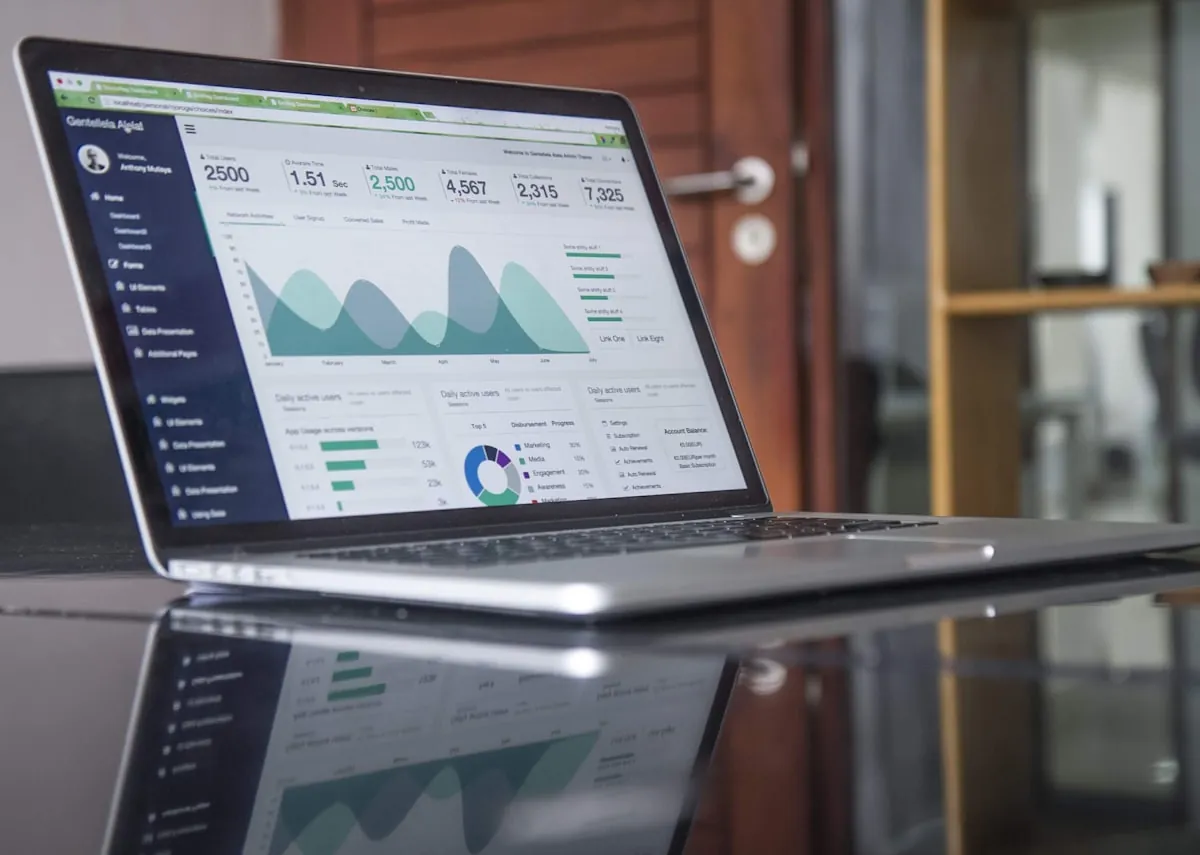
GA4 is Google's free, event-based analytics platform that tracks who visits your website, where they come from, and whether they turn into enquiries or sales. For a Malaysian SME it is the scoreboard for your entire digital effort, showing whether your SEO, ads, and website are actually working. Set it up correctly with key events and a Search Console link, then review it monthly to guide decisions.
What GA4 Is, in Plain Terms
Google Analytics 4 (GA4) is the current version of Google's free website and app analytics platform. It replaced the older Universal Analytics, which Google shut down in 2023, so every business tracking a site today is on GA4 whether they realise it or not. For a Malaysian SME, GA4 answers the questions that actually matter: how many people visited your site, where they came from, what they did, and whether they turned into an enquiry or a sale.
The important shift with GA4 is that it is built around events rather than page views. Instead of only counting how many pages someone looked at, GA4 records specific actions such as a form submission, a phone-number click, a WhatsApp button tap, or a scroll to the bottom of a page. That event-based model gives you a far clearer picture of intent, which is exactly what you need when you are spending money on SEO or ads and want to know if it is working.
GA4 is free for the vast majority of small businesses. You only hit paid tiers at very large data volumes that most Malaysian SMEs will never reach. So the cost is your time to set it up correctly, or a one-off fee to have it done properly, which is money well spent given how many decisions it can inform.
Why Every Malaysian SME Needs Analytics
Without analytics you are flying blind. You might feel your website is doing well because the phone rings occasionally, but you have no idea how many people visited and left without contacting you, which pages lose them, or which marketing channel actually drives enquiries. GA4 turns those guesses into numbers you can act on, and it does so for free.
For SMEs in Shah Alam, Klang Valley, and beyond, GA4 is the scoreboard for your entire digital effort. If you invest in SEO to climb Google rankings, GA4 shows whether that traffic is growing and converting. If you run a new business website, GA4 tells you whether visitors engage with it or bounce within seconds. Every ringgit you spend online should be measurable, and GA4 is how you measure it.
There is also a competitive angle. Many of your rivals still do not look at their data properly. A business owner who checks GA4 monthly, spots what is working, and doubles down on it will out-manoeuvre a competitor who simply hopes for the best. Data is one of the few advantages that costs nothing but attention.
GA4 vs the Old Universal Analytics
If you used Google Analytics years ago, GA4 will look different. Universal Analytics was session and page-view centric, and it reported metrics like bounce rate front and centre. GA4 reorganised everything around events and introduced new concepts such as engaged sessions and engagement rate, which measure whether people actually interacted rather than just landed and left.
The reporting interface also changed. GA4 has fewer pre-built reports out of the box and leans more on exploration and customisation. This frustrates some people at first, but it is more flexible once you learn where things live. The key point is that there is no way back to Universal Analytics, so it is worth investing a little time to get comfortable with the new layout.
The other big change is privacy. GA4 was designed for a world with more cookie restrictions and stricter data rules, so it relies more on modelling and is built to work alongside consent settings. For Malaysian businesses mindful of the PDPA, that privacy-first design is a helpful starting point, though you still need your own privacy policy and cookie notice.
How GA4 Actually Works: Events and Data Streams
In GA4, a data stream is the connection between your website (or app) and your analytics account. When you set up GA4 you create a web data stream for your site, and Google gives you a measurement ID and a small piece of tracking code. Once that code is on every page, GA4 begins collecting data automatically.
GA4 records events. Some are collected automatically the moment tracking is live, such as page views, scrolls, outbound clicks, and site searches, through a feature called enhanced measurement. Others you define yourself for actions that matter to your business, like a contact form completion or a click on your phone number. Understanding this event model is the foundation for everything else you do in GA4.
- Automatically collected: first visit, session start, page view.
- Enhanced measurement: scrolls, outbound clicks, site search, video engagement, file downloads.
- Custom events you configure: form submissions, WhatsApp clicks, phone-number clicks, quote requests.
- Key events (conversions): the handful of events that represent real business value.
Setting Up GA4 the Right Way
Start by creating a Google account for the business if you do not already have one, then set up a GA4 property at analytics.google.com. Give the property a clear name, set the reporting time zone to Kuala Lumpur and the currency to Malaysian Ringgit, so your data lines up with local time and money. Getting the time zone right from day one saves confusion later.
Next, create a web data stream for your domain and copy the tracking code Google provides. For a WordPress site you can add it through a plugin or your theme settings; for a custom-built site you place it in the head of every page. If you already use Google Tag Manager, install GA4 through that instead, which keeps all your tags in one place. If any of this feels risky to touch yourself, our team can install it correctly as part of a website build or maintenance engagement.
Finally, switch on enhanced measurement in the data stream settings so GA4 starts capturing scrolls, outbound clicks, and site searches without extra work. Within a day you should see real-time data flowing in. Verify it by opening your own site in a separate browser and watching yourself appear in the GA4 real-time report.
Connecting GA4 to Google Search Console
GA4 and Google Search Console answer different questions, and they are far more powerful together. Search Console shows what people typed into Google to find you and where you ranked; GA4 shows what those visitors did once they arrived. Linking the two lets you see the full journey from search query to on-site behaviour in one place.
To link them, open GA4 admin, find the Search Console link option, and connect the Search Console property for your domain. Once linked, a Search Console report appears inside GA4 showing your top queries and landing pages alongside engagement data. If you have not set up Search Console yet, our Search Console guide for Malaysian SMEs walks through it step by step.
This link is especially valuable for judging SEO. You can see which search queries bring visitors who actually engage and convert, versus queries that bring traffic that bounces immediately. That distinction helps you focus your content and SEO strategy on the terms that bring real customers, not just raw numbers.
The GA4 Reports You Will Actually Use
GA4 has a lot of screens, but as an SME owner you only need a handful regularly. The Reports section on the left holds the standard reports; the Realtime report shows who is on your site right now, which is useful for checking a new campaign or confirming tracking works. The Acquisition reports tell you where visitors come from, split into channels like organic search, direct, referral, paid, and social.
The Engagement reports show which pages and screens get the most attention and how long people stay. This is where you spot your best-performing content and your weakest pages. Pair this with the Pages and screens report to see exactly which URLs drive engagement, so you know what to create more of and what to fix.
Do not feel you must master every report. Pick three or four that map to your goals, check them on a set schedule, and ignore the rest until you have a specific question. Analytics is only useful when it changes a decision, so favour the reports that lead to action.
Traffic Acquisition: Where Your Visitors Come From
The Traffic acquisition report is one of the most important screens for any business investing in marketing. It groups your visitors into default channel groupings, so you can see at a glance how much traffic comes from organic search, direct visits, referrals from other sites, social media, and paid ads. Each channel tells a different story about how people discover you.
Organic search growing month over month is a sign your SEO work is paying off. A large direct number often means people typing your name in, which reflects brand awareness or offline marketing. Referral traffic shows which other websites send you visitors, useful for judging partnerships and directory listings. Watching these trends over time is more informative than any single day's figure.
The real value comes when you compare channels by engagement and conversions, not just volume. A channel that sends fewer visitors but a higher share of enquiries is worth more than one that floods you with traffic that never converts. GA4 lets you sort by key events so you can see which sources bring genuine business.
Setting Up Key Events (Conversions) That Matter
A key event in GA4, previously called a conversion, is any action that represents real value to your business. For a service SME that is usually a contact form submission, a phone-number click, a WhatsApp button tap, or a quote request. For an online store it is an add-to-cart or a completed purchase. Until you mark these as key events, GA4 cannot tell you whether your site is doing its job.
To set one up, you first make sure the action fires as an event, then mark that event as a key event in GA4 admin. Some actions like outbound WhatsApp clicks may need a small amount of configuration through Google Tag Manager. This is fiddly, and it is the part most DIY setups get wrong or skip entirely, which is why so many businesses have GA4 installed but no meaningful conversion data.
Once key events are tracking, everything else in GA4 becomes more useful, because you can measure any channel, page, or campaign by how many real enquiries it produced. If you would rather not wrestle with tag configuration, we set up proper conversion tracking as part of our SEO engagements so the reporting reflects actual leads.
Reading Engagement Metrics Without Getting Lost
GA4 introduced metrics that confuse people coming from the old Analytics. Engaged sessions counts visits where someone stayed at least ten seconds, viewed two or more pages, or triggered a key event. Engagement rate is the percentage of sessions that were engaged. A higher engagement rate generally means your content matches what visitors expected to find.
Average engagement time tells you how long, on average, your site actively held attention. If a key landing page has a very low engagement time, that is a signal the page is slow, unclear, or not matching the search intent that brought people there. Fixing page speed and clarity often lifts these numbers, which is why site speed and Core Web Vitals feed directly into engagement.
Resist the urge to obsess over any single metric. Trends across weeks matter more than daily wobbles, and context matters most of all. A blog post with long engagement time but few conversions serves a different purpose than a service page with short visits but high enquiry rates. Judge each page against its job.
GA4 and PDPA: Staying Compliant in Malaysia
Because GA4 collects data about your visitors, it sits within the scope of Malaysia's Personal Data Protection Act (PDPA). GA4 is designed to avoid storing directly identifying information, and you should never configure it to send names, emails, or phone numbers into analytics. Keeping personally identifiable information out of GA4 is both a Google policy and a sensible privacy practice.
You should have a clear privacy policy on your site explaining that you use analytics, and a cookie or consent notice so visitors know tracking is in place. GA4 supports consent settings so tracking can respect a visitor's choices. Getting this right protects your business and builds trust, which matters as Malaysian consumers grow more privacy-aware.
If you also handle customer data through email, cloud storage, or internal systems, analytics is just one piece of a wider compliance picture. Our team can help align your website, cybersecurity, and data handling so the whole setup respects the PDPA rather than treating each part in isolation.
Common GA4 Mistakes SMEs Make
The most common mistake is installing GA4 and then never setting up key events, which leaves you with traffic numbers but no idea whether the site generates business. The second is having tracking on some pages but not others, usually after a redesign, so data silently breaks. The third is filtering out your own internal traffic, which inflates numbers when staff browse the site all day.
Another frequent error is misreading the data. People panic over a single bad day, compare mismatched date ranges, or celebrate a traffic spike from bots or an unrelated referral. GA4 rewards patience and consistent comparison periods. Look at month over month and year over year rather than reacting to every fluctuation.
- No key events configured, so no conversion data.
- Tracking code missing on some pages after a redesign.
- Internal and staff traffic not filtered out.
- Reading raw traffic without checking engagement or conversions.
- No Search Console link, so search context is missing.
Turning GA4 Data Into Business Decisions
Data is only valuable when it changes what you do. A simple monthly routine works well: check whether total traffic and organic search are trending up, see which channels drove the most key events, look at your top landing pages, and note any page with high traffic but low conversions. Each of those observations should suggest a concrete next step.
For example, if a service page gets strong traffic but few enquiries, the fix might be a clearer call to action, a faster load time, or better matching of the content to what searchers want. If organic search is flat, it may be time to invest more in SEO and content. If one blog post drives most of your engaged visitors, write more on that theme. GA4 points you toward these opportunities.
The goal is a tight loop: measure, learn, change, measure again. Over a few months this compounding of small, evidence-based improvements outperforms any single big redesign, because you are steadily removing what does not work and reinforcing what does.
Do It Yourself or Get Help
A capable business owner can install basic GA4 and read the standard reports with a weekend of effort. If your needs are simple, that may be enough, and Google's own documentation is decent. The value of doing it yourself is that you understand your own numbers, which makes you a sharper decision-maker.
The parts worth getting help with are proper key-event and conversion tracking, tag manager configuration, filtering internal traffic, and linking GA4 to Search Console and any ad accounts. These are the exact areas DIY setups tend to get wrong, and a broken setup gives you confident-looking numbers that are quietly misleading, which is worse than no data at all.
Cybergate helps Malaysian SMEs set up GA4 correctly as part of our web development and SEO services, so your reporting reflects real leads and sales. Pricing for ongoing SEO with reporting starts from RM1,000 per month, and we are based in Shah Alam with an office in Melaka, so support is local and reachable.
Key Takeaways
GA4 is Google's free, event-based analytics platform and the current standard for every website. It answers the questions that decide whether your marketing spend is working: who visits, where they come from, what they do, and whether they convert into enquiries or sales.
The setup steps that matter most are getting the Kuala Lumpur time zone and Ringgit currency right, switching on enhanced measurement, configuring key events for real business actions, linking Search Console, and filtering out your own traffic. Miss the key events and you have numbers without meaning.
Treat GA4 as a monthly decision-making habit, not a dashboard you glance at once. Combined with sound SEO and a fast, well-built website, consistent use of GA4 gives Malaysian SMEs a measurable, compounding edge that most competitors leave on the table.
Need help with this?
Cybergate provides IT support, cybersecurity, Microsoft 365 and SEO for Malaysian businesses. Free consultation, no obligation.
Get Free Consultation WhatsApp Us