Backup & Disaster Recovery
for Malaysian Businesses.
60% of businesses that lose critical data shut down within six months. Whether it is ransomware, hardware failure, accidental deletion or a natural disaster, your business must have a tested, working recovery plan. Most businesses in Malaysia think they have one. Most do not.
Your Business Data Is at Risk Right Now. Here Is Why.
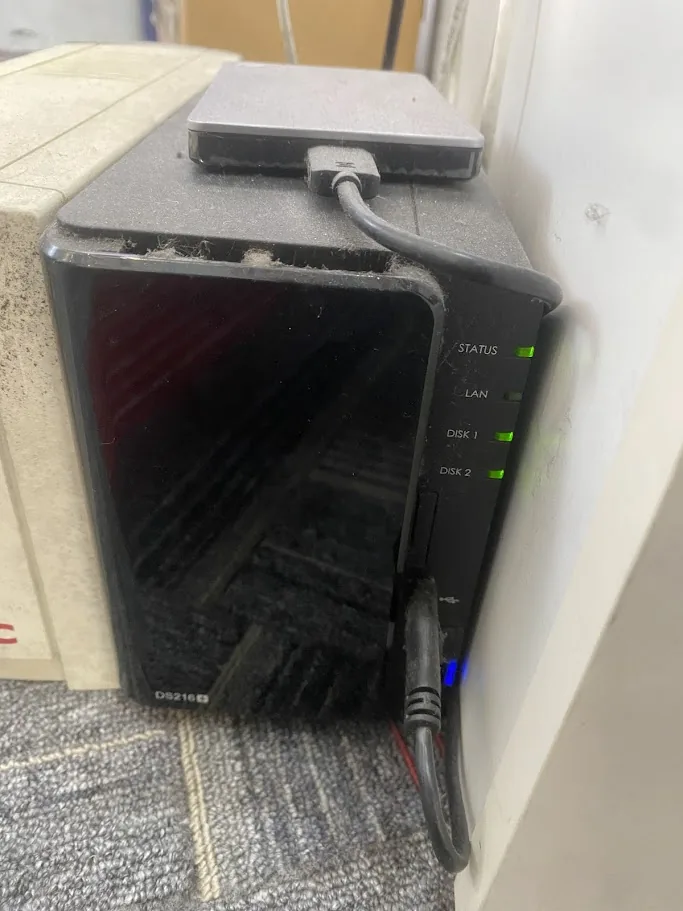
Most Malaysian businesses believe their data is protected because they have an external hard drive in the office or because their data is “in the cloud.” Neither of these is a backup strategy. External drives fail, get stolen in a break-in or get encrypted alongside everything else in a ransomware attack. Cloud storage like OneDrive and SharePoint syncs deletions – if a staff member or attacker deletes your files, the deletion syncs to the cloud immediately.
A real backup strategy follows the 3-2-1 rule: three copies of your data, on two different media types, with one copy stored offsite. It includes automated daily backups with monitoring to alert you if a backup fails, immutable storage that ransomware cannot encrypt, and – most critically – regularly tested restore procedures. A backup that has never been tested is not a backup. It is an untested hope.
Cybergate designs and manages backup and disaster recovery solutions for Malaysian SMEs that actually work when needed. We test restores, monitor backup jobs daily and ensure your recovery objectives are documented and achievable. When disaster strikes – and for most businesses it eventually does – you will know exactly how to recover and how long it will take.
Ransomware Encryption
Ransomware actively targets and encrypts connected backup drives. Immutable, air-gapped backups are the only reliable defence.
Hardware Failure
Hard drives fail without warning. RAID arrays are not backups. Without offsite copies, a single hardware failure can be catastrophic.
Accidental Deletion
Staff accidentally delete critical files daily. Without versioned backups with adequate retention, those files are gone permanently.
Power Surges & Natural Disasters
Flash floods, lightning strikes and power surges are common in Malaysia. Onsite-only backups are destroyed alongside the primary hardware.
Complete Backup & Recovery Solutions for Malaysian Businesses
From automated daily backups to full disaster recovery planning, we design a solution based on your RTO, RPO and budget.
Automated Cloud Backup
Scheduled automated backups of file servers, workstations and databases to secure cloud storage. Daily full or incremental backups with configurable retention periods. Backup job monitoring with alerts if any job fails.
Immutable Backup Storage
Write-once, ransomware-proof backup storage that cannot be modified, deleted or encrypted even if an attacker gains full access to your network. The most critical protection against ransomware destroying your recovery option.
Microsoft 365 Backup
Microsoft does not back up your 365 data. We provide third-party backup for Exchange Online email, SharePoint, OneDrive and Teams with granular item-level recovery. Restore individual emails, files or entire mailboxes in minutes.
Offsite & Hybrid Replication
Replicate your data to a geographically separate location for full 3-2-1 compliance. Hybrid backup combines fast local recovery with offsite resilience. Choose from Malaysian data centres or global cloud regions based on compliance requirements.
Server & VM Backup
Image-level backups of physical servers and virtual machines including Hyper-V and VMware. Bare-metal recovery capability – restore an entire server to new hardware in hours. Application-consistent backups for SQL Server, Exchange and business applications.
Quarterly Restore Testing
Every quarter we perform a documented restore test, simulating a real disaster recovery scenario. We verify your backups are intact, your recovery procedures work and your actual RTO matches your target. Written report provided after every test.
Disaster Recovery Planning
Written disaster recovery plan including RTO and RPO targets, step-by-step recovery procedures, contact lists and escalation paths. Designed for your specific business environment so any staff member can follow it in a crisis, not just the IT team.
Database & Application Backup
Transaction-consistent backups for SQL Server, MySQL, accounting software and ERP systems. Point-in-time recovery to restore your database to any moment before an incident. Especially critical for businesses where accounting or ERP data is their most valuable asset.
Backup Monitoring & Alerting
Daily monitoring of all backup jobs with immediate alerts for any failures. Monthly backup health reports for managed clients. You always know your backups are working – you do not find out they were broken only when disaster strikes.
How We Build Your Backup & Recovery Solution
Every business has different data, different risk tolerance and different recovery requirements. We start by understanding yours.
Data Discovery & Risk Assessment
We audit your IT environment to identify every data source that needs protection – file servers, databases, cloud applications, workstations – and assess your current backup gaps. We also define your RTO and RPO with your management team so the solution is built around real business requirements.
Solution Design & Implementation
We design a backup architecture that meets your RTO and RPO using the 3-2-1 approach. We install and configure backup software, provision cloud or offsite storage and set automated backup schedules. Implementation is done with zero disruption to your operations.
First Restore Test & Documentation
Within the first month we perform a full restore test and document the results. We create your disaster recovery runbook – a plain-language step-by-step guide for recovering your systems that any staff member can follow. This document is reviewed and updated annually.
Ongoing Monitoring & Quarterly Testing
We monitor backup job success daily and alert you immediately if anything fails. Every quarter we run a documented restore test and provide a written report. Annual reviews assess whether your backup solution still meets your requirements as your business grows.
What Managed Backup & DR Looks Like in Practice
When Cybergate manages your backup and disaster recovery, the experience is largely invisible during normal operations – which is exactly how it should be. Backups run automatically in the background. You receive a monthly report confirming all backup jobs succeeded and summarising your current data protection posture. If anything fails, we alert you before you even notice.
The Difference a Tested Recovery Plan Makes
We have helped Malaysian businesses recover from ransomware attacks, server room floods and total hardware failures. The ones that recovered quickly and fully had three things in common: their backups were running and monitored, their backup storage was immutable, and they had a tested recovery plan. The ones that struggled had assumed their backups were working without ever verifying it.
One of our manufacturing clients in Selangor suffered a complete server room flood caused by a burst pipe. Their ERP system, file server and accounting database were on three servers in that room. Because we had offsite cloud backups with a tested recovery procedure, we had them operational on temporary hardware within four hours. Their accounts team was processing orders by the following morning.
Microsoft 365: The Backup Gap Most Malaysian Businesses Do Not Know About
Microsoft’s service agreement is explicit: they protect the availability of their infrastructure, not the retention of your data. Microsoft 365 email, SharePoint files and Teams data can be permanently lost through accidental deletion, ransomware, a departed employee deleting their own data or a misconfigured retention policy. Microsoft’s native recycle bins and version history are not backup solutions – they have limited retention windows and are not designed for disaster recovery scenarios.
We provide third-party Microsoft 365 backup with configurable retention up to seven years, granular item-level recovery and independent storage outside of Microsoft’s infrastructure. This is especially important for Malaysian businesses with PDPA obligations, as data must be recoverable and demonstrably protected even if the cloud provider experiences an outage or data loss event.
Understanding RPO and RTO for Your Business
Recovery Point Objective and Recovery Time Objective are the two numbers that define whether your backup solution is actually fit for purpose. RPO answers: if a disaster happened right now, how much data could you afford to lose? If your RPO is four hours, you need backups running at least every four hours. RTO answers: how long can your business afford to be completely offline? If your RTO is eight hours, your recovery plan must demonstrate the ability to restore your critical systems within eight hours. We define these targets with your management team before designing your solution, not after.
Backup & Recovery Scenarios We Handle for Malaysian Businesses
These are the most common situations we help Malaysian SMEs recover from. If any sound familiar, do not wait.
“We Have Been Hit by Ransomware and Our Files Are Encrypted”
If you are a managed backup client, we isolate the affected machines, verify your immutable backups are clean, and begin the recovery process immediately. For new clients hit by ransomware, we assess what is recoverable from existing backups and design an emergency recovery plan. Every hour counts in a ransomware incident.
“Our Main Server Crashed and We Cannot Access Anything”
Server failure is one of the most common IT disasters for Malaysian SMEs. With a current image-level backup and documented recovery procedure, we can restore your server to new or temporary hardware and have your team operational within hours. Without it, recovery means rebuilding everything from scratch – which can take days or weeks.
“A Staff Member Accidentally Deleted Three Months of Project Files”
With versioned backups and appropriate retention, we can restore files to any point before the deletion. We identify the exact deletion time from backup logs, restore the affected folder and verify file integrity before handing back to the team. This type of recovery typically takes less than two hours.
“Our Server Room Flooded and All Our Hardware Is Destroyed”
When onsite hardware is physically destroyed, offsite cloud backups become your entire recovery path. We provision temporary cloud servers or replacement hardware, restore from offsite backups and get your business operational. This scenario highlights exactly why offsite replication is not optional – it is the difference between a recoverable disaster and a business-ending one.
“We Need to Recover Emails from a Departed Employee’s Mailbox”
Microsoft 365 retains deleted mailboxes for only 30 days after licence removal. If you need to recover emails for legal, compliance or business continuity reasons after that window, you need a third-party backup. With our M365 backup service, we can restore individual emails, entire mailboxes or SharePoint content from any point within your retention period.
“Our Auditor Says We Need a Documented Disaster Recovery Plan”
Regulatory audits, ISO 27001 readiness assessments and client vendor questionnaires increasingly require documented and tested disaster recovery plans. We create the documentation, implement the technical controls and provide written evidence of quarterly restore testing. We have helped Malaysian businesses pass audits and satisfy client security requirements with full DR documentation.
Backup & Disaster Recovery Questions
Do Not Find Out Your Backup
Was Broken When You Need It Most.
Get a free backup assessment. We will review your current data protection, identify gaps and tell you exactly what a tested recovery solution for your business looks like.