
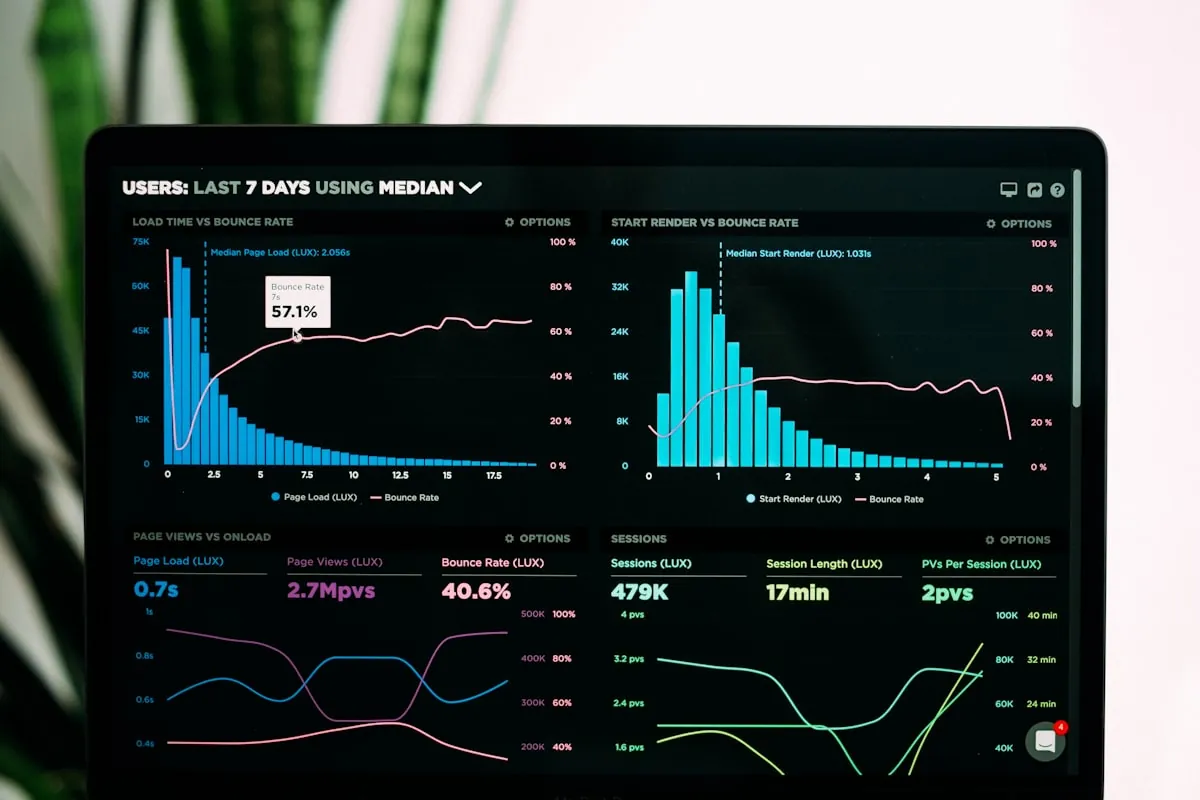
Technical SEO is the work that makes sure search engines can crawl, understand and index your website quickly and correctly. It covers site speed, mobile-friendliness, HTTPS, clean URLs, XML sitemaps, structured data and fixing errors. Get it right and your good content actually has a chance to rank; get it wrong and even great pages stay invisible.
What technical SEO actually means
Technical SEO is everything that helps search engines find, read and trust your website, before a single word of your content is judged. Think of it as the plumbing behind the walls. Your visitors never see it, but if it leaks or clogs, nothing works. On-page SEO decides what your pages say, and technical SEO decides whether Google can reach those pages, load them fast and store them in its index in the first place.
For a Malaysian SME, this matters because you are usually competing with bigger brands that have larger content teams and bigger budgets. A clean, fast, well-structured website is one of the few areas where a small business can genuinely beat a large one. If your site is easy to crawl and quick to load while a competitor's is slow and messy, you have a real advantage that costs discipline more than money.
This guide walks through the parts of technical SEO that move the needle for a typical SME site, whether you are a clinic in Shah Alam, a manufacturer in Klang Valley or a retailer in Melaka. It pairs naturally with our guides on keyword research and on-page SEO, which cover the content side of ranking.
How search engines crawl and index your site
Search engines send out automated bots, often called crawlers or spiders, that follow links from page to page to discover content. When a crawler reaches one of your pages, it reads the code, follows the internal links it finds, and decides whether the page is worth storing. That storage step is called indexing. A page that is crawled but not indexed will never appear in search results, so both steps have to succeed.
The practical takeaway is that every important page needs to be reachable through links and free of anything that blocks the crawler. Orphan pages with no internal links pointing to them are hard to discover. Pages accidentally marked noindex, or blocked in your robots.txt file, get skipped entirely. A surprising number of ranking problems come down to a page simply not being in Google's index.
You can check what Google has indexed using Google Search Console, which is free and should be installed on every SME website. It tells you which pages are indexed, which are excluded and why. If you have not set it up yet, that is the single most valuable first step in any technical SEO effort.
Crawl budget and why it matters for larger sites
Crawl budget is the amount of crawling Google is willing to do on your site in a given period. For a small brochure site of twenty pages, crawl budget is almost never a problem. For a larger eCommerce store with thousands of product and filter pages, it becomes very real. If crawlers waste time on low-value or duplicate URLs, your important pages get crawled less often and updates take longer to show up.
You save crawl budget by not generating endless junk URLs. Faceted navigation filters, session IDs in URLs, and printer-friendly duplicates can multiply your page count without adding value. Blocking or canonicalising these, and keeping a tidy internal link structure, helps crawlers spend their time where it counts. If you run a large catalogue, this is worth reviewing during any eCommerce website build.
Site speed and why Malaysian users feel it
Page speed affects both rankings and revenue. Google uses speed as a ranking factor, but more importantly, slow pages lose visitors before they ever read your offer. Many Malaysian users browse on mobile data with variable coverage, so a heavy page that loads fine on office fibre can feel painfully slow on a phone in a lift or on the LRT. Every extra second of load time quietly increases the number of people who give up and leave.
Common speed killers on SME sites are huge unoptimised images, bloated page builders that load dozens of scripts, cheap oversold shared hosting, and a lack of caching. The good news is that most of these are fixable without rebuilding the whole site. Compressing images, enabling caching and moving to better hosting often produce a visible jump in speed within a day.
- Compress and resize images, and serve modern formats like WebP
- Enable browser and server caching
- Reduce the number of plugins and scripts that load on every page
- Use a content delivery network so files load from a server nearer the visitor
- Choose hosting with enough resources for your traffic, not the cheapest plan available
Core Web Vitals explained simply
Core Web Vitals are three measurements Google uses to judge how good a page feels to a real user. Largest Contentful Paint, or LCP, measures how long the main content takes to appear. Interaction to Next Paint, or INP, measures how quickly the page responds when someone taps or clicks. Cumulative Layout Shift, or CLS, measures how much the page jumps around while loading, which is the annoying effect when a button moves just as you go to tap it.
You do not need to memorise the exact thresholds to act on these. LCP should feel fast, INP should feel responsive, and CLS should be near zero so nothing shifts under the user's finger. The most common causes of poor scores are the same speed killers mentioned above, plus images and ads without reserved space, and heavy JavaScript that blocks interaction.
You can measure Core Web Vitals with Google's free PageSpeed Insights tool and monitor them over time inside Search Console. Treat them as a health signal rather than a vanity number. A site that scores well on these usually feels good to use, and that shows up in longer visits and better conversions.
Mobile-first indexing and responsive design
Google now uses the mobile version of your website for indexing and ranking, a policy called mobile-first indexing. In plain terms, the phone version of your site is the one that counts. If your mobile pages hide content, use tiny tap targets or load slowly, your rankings suffer even if your desktop site looks great. Given how much Malaysian browsing happens on phones, this is not optional.
The reliable solution is responsive design, where one website automatically adapts its layout to any screen size instead of maintaining a separate mobile site. A well-built responsive site shows the same content and links on mobile and desktop, which keeps Google happy and keeps your visitors from pinching and zooming. This is standard in every modern website development project we deliver.
Test your key pages on a real phone, not just a shrunken browser window. Check that text is readable without zooming, that buttons are easy to tap, that forms work with a thumb, and that nothing important is cut off. Small friction on mobile adds up to lost enquiries.
HTTPS and website security signals
HTTPS encrypts the connection between a visitor's browser and your website, shown by the padlock in the address bar. Google treats HTTPS as a ranking signal and modern browsers actively warn users away from sites that still use plain HTTP. For any site that collects enquiries, logins or payments, HTTPS is a baseline requirement, not a nice-to-have.
Getting HTTPS is straightforward. You install an SSL certificate, and many Malaysian hosts include a free one through Let's Encrypt. The part people miss is doing the migration cleanly: every internal link, image and canonical tag should point to the https version, and old http URLs should redirect permanently to https so you do not lose ranking or create duplicate content.
Security also overlaps with trust and uptime. A hacked or defaced site can be removed from search results and flagged with a warning, which is devastating for a small business. Keeping your platform, plugins and passwords in order protects both your rankings and your reputation, a theme we cover in our work on cybersecurity.
XML sitemaps and robots.txt
An XML sitemap is a simple file that lists the pages you want search engines to know about. It does not force indexing, but it helps crawlers discover your content, especially on newer sites or those with weak internal linking. Most modern platforms and SEO plugins generate a sitemap automatically. Your job is to make sure it lists your real, indexable pages and nothing broken or redirected.
The robots.txt file does the opposite job: it tells crawlers where they should not go, such as admin areas or internal search results. It is powerful and easy to misuse. A single stray line can accidentally block your entire site from Google, which we have seen happen after careless site launches. Always check that robots.txt is not blocking pages you actually want ranked.
Once your sitemap is ready, submit it in Google Search Console and resubmit it occasionally after major changes. This gives Google a clear map of your site and a faster path to discovering new pages, which matters when you publish content regularly.
Site structure and internal linking
A logical site structure helps both users and search engines understand how your pages relate. A common and effective pattern is a shallow hierarchy: homepage, then main category or service pages, then individual detail pages, with important pages reachable in a few clicks from the home page. The flatter and cleaner the structure, the easier it is for authority to flow to the pages that matter.
Internal linking is the tool that ties this together. When you link from one relevant page to another using clear anchor text, you help Google understand what each page is about and pass ranking strength between them. Blog posts should link to your service pages, and related articles should link to each other. This is one of the highest-value, lowest-cost technical SEO tasks an SME can do.
Avoid burying key pages deep in the navigation or leaving them with no internal links at all. If a page is important enough to rank, it should be easy to reach from your main menu, your footer or your content. A tidy structure also makes future redesigns and audits far less painful.
Structured data and schema markup
Structured data, often implemented as schema markup, is extra code that describes your content to search engines in a standard vocabulary. It does not change what visitors see, but it helps Google understand context, such as that a page is a local business, a product, an article, an FAQ or a review. This understanding can unlock rich results, the enhanced listings that show stars, prices, FAQs or business details directly in search.
For a Malaysian SME, the most useful schema types are usually LocalBusiness, which reinforces your name, address and phone number, and Organization, Product, Article and FAQ where relevant. Getting these right supports your local visibility and pairs well with a strong Google Business Profile setup for local search.
Schema is also increasingly important for AI-driven search. Clear, structured information makes it easier for AI systems to quote your business accurately, a topic we explore in our guide on AI search optimisation. Use Google's Rich Results Test to confirm your markup is valid before relying on it.
Canonical tags and duplicate content
Duplicate content confuses search engines because they cannot tell which version of a page to rank. This happens more often than owners realise: a page reachable with and without www, with and without a trailing slash, with tracking parameters, or served in both http and https. Each variation looks like a separate URL to a crawler even though the content is identical.
The canonical tag solves this by naming the preferred version of a page. When several URLs show the same content, a canonical tag pointing to the main one tells Google to consolidate ranking signals onto that single address. Most platforms handle canonicals automatically, but it is worth checking that they point where you expect, especially on eCommerce sites with filters and sorting options.
Where duplication comes from genuinely different URLs, permanent redirects are the cleaner fix. The goal is simple: one piece of content should live at one address, and everything else should point to it. This keeps your ranking strength focused instead of split across copies.
Handling redirects and broken links
As a website ages, pages get moved, renamed or removed, and links break. A broken link that returns a 404 error frustrates visitors and wastes crawl effort. Worse, if you delete or move a page that had rankings and backlinks without redirecting it, you throw away that value. Managing redirects properly is a quiet but important part of keeping a site healthy.
The main tool is the 301 redirect, a permanent redirect that sends both users and search engines from an old URL to a new one and passes most of the ranking strength across. Use these whenever you change a URL or retire a page that has a natural replacement. Avoid long redirect chains, where one URL redirects to another that redirects again, because they slow things down and dilute signal.
Run a broken-link check periodically, fix or redirect anything that is broken, and pay special attention during redesigns and platform migrations, when large numbers of URLs can change at once. A careful migration keeps your rankings; a careless one can wipe out years of progress.
Website migrations without losing rankings
A migration is any big change to your site's address, structure or platform: moving to a new domain, switching from an old CMS to WordPress, redesigning with new URLs, or moving to HTTPS. These projects carry real SEO risk because they can change or break the URLs that Google has indexed and that other sites link to. Done carelessly, traffic can drop sharply overnight.
The safe approach is to plan the change, map every old URL to its new equivalent, put 301 redirects in place for all of them, and keep an eye on Search Console for crawl errors and indexing changes after launch. Preserve your titles, headings and content where possible, and update internal links to the new URLs rather than relying only on redirects.
This is one area where experience pays for itself. If you are planning a redesign or replatform, it is worth involving someone who has done migrations before, whether that is your internal team or an agency, so the SEO groundwork is handled alongside the visual and functional work.
Common technical SEO mistakes we see on SME sites
Most SME technical problems are not exotic. They are the same handful of issues appearing again and again, usually as a side effect of a rushed launch or a cheap build. The encouraging part is that because they are common, they are also well understood and quick to fix once you know to look for them.
- No Google Search Console set up, so nobody can see indexing problems
- Slow pages caused by huge images and bloated page builders
- Important pages accidentally set to noindex or blocked in robots.txt
- A site that is not properly mobile-friendly
- Still running on http, or a messy http to https migration
- Broken links and deleted pages with no redirects
- Thin or duplicate pages competing with each other
If you recognise several of these on your own site, do not panic. Fix them in order of impact: indexing and mobile issues first, then speed, then the smaller cleanups. A short focused audit usually surfaces the big wins quickly.
Tools you can use for free
You do not need expensive software to get the basics right. Google provides most of what an SME needs at no cost. Google Search Console shows indexing, mobile usability, Core Web Vitals and search performance for your own site. PageSpeed Insights measures speed and Core Web Vitals for any page. The Rich Results Test checks your structured data. Between these three, you can diagnose the majority of common problems.
Beyond Google's tools, a simple site crawler can list your pages, find broken links and flag missing titles or descriptions. Google Analytics 4 helps you see what visitors actually do once they arrive. None of these require a big budget, only the discipline to check them regularly rather than only when something goes wrong.
If you would rather focus on running your business than learning these tools, that is a reasonable choice too. A managed SEO service handles the monitoring and fixing for you, which brings us to when it makes sense to get help.
When to do it yourself and when to get help
Plenty of technical SEO is within reach of a capable owner or marketing staff member: setting up Search Console, compressing images, fixing obvious broken links, and confirming your site is on HTTPS and mobile-friendly. If you enjoy the detail and have the time, working through this guide will already put you ahead of many competitors.
The point to bring in help is usually when the issues get structural or risky: a slow site that resists simple fixes, a large eCommerce catalogue with crawl and duplicate problems, a full redesign or platform migration, or persistent indexing issues you cannot explain. These are the moments where a wrong move is costly and experience genuinely saves money.
Cybergate works with Malaysian SMEs across Shah Alam, Melaka and the wider Klang Valley on exactly this kind of work, combining technical SEO with content and web development. Professional SEO starts from RM1,000 per month and a new website from RM999, with no hidden SST because we are not SST-registered, so the quoted price is what you pay.
Key takeaways
Technical SEO is what lets your good content actually get found. If crawlers cannot reach your pages, or the pages load slowly and behave badly on mobile, even excellent writing will struggle to rank. The foundations are unglamorous but powerful: crawlable structure, fast pages, mobile-first design, HTTPS, clean URLs and correct indexing.
You can make real progress with free tools and a bit of discipline. Set up Google Search Console, fix your speed and mobile issues, secure the site with HTTPS, tidy your redirects and add sensible schema. Handle migrations with care, and bring in help when the stakes or the complexity rise.
Get these fundamentals right once and they keep paying off, making every future piece of content and every marketing ringgit work harder. If you would like a technical SEO audit of your Malaysian SME website, our team is happy to take a look.
Need help with this?
Cybergate provides IT support, cybersecurity, Microsoft 365 and SEO for Malaysian businesses. Free consultation, no obligation.
Get Free Consultation WhatsApp UsKartik Periasamy
Kartik Periasamy is the founder of Cybergate Technology Malaysia, with more than 13 years in IT and technology including a Subject Matter Expert role at Dell. He now leads SEO, AI search and web strategy for businesses across Malaysia and Singapore.