IT & Cybersecurity - 2026-08-14 - by Kartik Periasamy
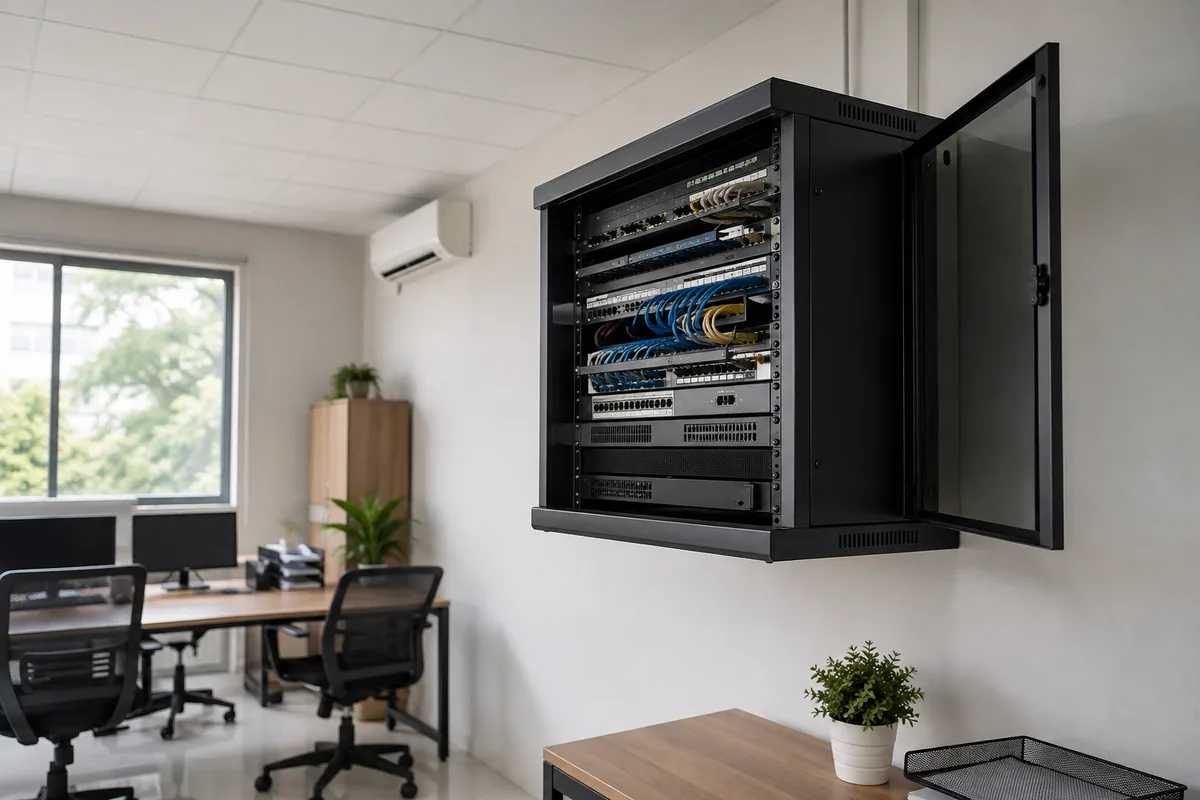
For most Malaysian SMEs in 2026, cloud is the better default for email, files and everyday apps because it removes hardware costs, survives power cuts and scales with headcount. On-premise still wins for heavy local workloads like CCTV storage, large design files and legacy software that must run in the office. Many SMEs land on a hybrid setup, cloud for email and documents plus a small local NAS for big files and backup.
Why this decision matters more in 2026
Ten years ago the question rarely came up. If your business needed shared files, accounting software or a domain login, you bought a physical server, put it in a corner of the office and hoped for the best. Today almost every system your SME relies on, email, documents, accounting, payroll, POS, CRM, has a cloud version, so the default has flipped and the burden of proof now sits with the physical box.
The decision matters because it locks in your cost structure for three to five years. An on-premise server is a capital purchase with ongoing maintenance, while cloud is a monthly operating cost that rises and falls with headcount. It also shapes how well your team can work from home, how you survive a power cut in the industrial area, and how exposed you are to ransomware.
We help businesses across Shah Alam, the wider Klang Valley and Melaka make this call, and the honest answer is that neither side wins every time. This guide walks through the trade-offs one by one so you can decide based on your actual workloads, not on whatever the last salesperson happened to be selling.
What an on-premise server actually is
An on-premise server is any computer in your office that runs services for other computers. That could be a proper rack-mounted machine in a server room, a tower server under someone's desk, or a NAS (network attached storage) box like a Synology unit holding your shared files. If your team connects to it over the office network, it is on-premise.
Typical SME uses include shared file storage, the database behind accounting or ERP software, CCTV footage retention, print servers, and older line-of-business applications that were never rewritten for the cloud. Some businesses also run a domain controller on-premise to manage staff logins and permissions.
The defining feature is ownership. You buy the hardware, you own the data physically, and you are responsible for everything, power, cooling, updates, security patches, failed disks and the eventual replacement of the whole machine when it reaches end of life, usually around the five year mark.
What cloud really means for an SME
Cloud simply means the server sits in someone else's data centre and you rent it over the internet. For most Malaysian SMEs, cloud does not mean renting raw servers from AWS or Azure. It means using finished services, Microsoft 365 for email and Office apps, Google Workspace for Gmail and Drive, cloud accounting packages, and SaaS tools for HR and payroll.
In this model you never see the hardware. Microsoft or Google runs the data centre, patches the servers, replaces failed disks and guarantees uptime in a service agreement. You pay per user per month, typically from RM50/user/month for Microsoft 365 or Google Workspace business plans, and you can add or remove users as your team changes.
There is a middle option, infrastructure as a service, where you rent a virtual server and manage the operating system yourself. A minority of SMEs need this, usually to host a legacy application. For everyone else, finished SaaS services deliver the benefits of cloud without needing anyone technical on staff.
The hybrid setup most SMEs actually end up with
In practice the cloud versus on-premise debate is rarely all or nothing. The most common setup we deploy for Malaysian SMEs is hybrid, email and documents in Microsoft 365 or Google Workspace, everyday collaboration fully in the cloud, plus a small on-premise NAS for the things cloud handles poorly.
What stays local? Large files that are painful to sync over a typical office connection, think architectural drawings, video projects and photography archives. CCTV footage, which generates far too much data to push to cloud storage economically. And a local copy of backups, so you can restore quickly without downloading terabytes.
A Synology NAS is often the sweet spot for this local layer, it is far cheaper than a full server, quieter, easier to manage and comes with built-in backup tools. We covered this in detail in our Synology NAS for business guide. The point is that hybrid is not a compromise, it is usually the correct engineering answer.
Cost comparison: upfront capital vs monthly subscription
An on-premise server is a lump of capital expenditure. A modest business server with proper disks, a UPS, licensing and setup can easily run into five figures before it stores a single file, and that excludes the switch, cabling and the electricity it draws around the clock. Then add maintenance, someone has to patch it, monitor it and fix it when it misbehaves.
Cloud flips this into operating expenditure. You pay monthly per user, there is no hardware to buy and no depreciation on your books. For a ten person company, business grade email and file storage costs a predictable monthly amount that scales down if you shrink, something a purchased server can never do.
The crossover point depends on workload. For general office work, cloud is almost always cheaper over five years once you count hardware refresh, electricity, cooling and maintenance time. For very heavy storage, hundreds of terabytes of CCTV or media files, local hardware still wins on pure ringgit per terabyte, which is exactly why hybrid setups are so common.
Performance: where each option is faster
On-premise wins raw speed inside the office. A gigabit local network moves large files far faster than most Malaysian business internet connections can upload to the cloud. If your designers open 2 GB files all day, a local NAS feels instant while cloud sync feels sluggish, no matter which provider you choose.
Cloud wins everywhere outside the office. Staff working from home, sales people on the road and your Melaka branch all reach cloud services at full speed without VPN gymnastics. With an on-premise server, remote access means configuring and securing a VPN, and every remote user is limited by your office upload bandwidth, which is often a fraction of the download speed.
So the performance question is really a question about where your team works and how big the files are. Office-bound teams with heavy files lean on-premise or hybrid. Distributed teams with normal documents lean cloud, and will barely notice any difference day to day.
Reliability, uptime and Malaysian power cuts
Every business in an industrial area of Shah Alam or Klang has lived through a power interruption. When the power goes, an on-premise server goes with it unless you have invested in a UPS and, for longer outages, a generator. Even with a UPS, an unplanned shutdown risks database corruption and a slow morning of recovery.
Cloud services run in data centres with redundant power, cooling and multiple internet feeds, and the major providers publish uptime commitments backed by service credits. When your office loses power, your email keeps flowing and staff can simply work from home or a cafe until the lights come back.
The flip side is that cloud depends on your internet connection. If your office line goes down and you have no backup connection, cloud services are unreachable from the office even though they are running fine. A sensible mitigation is a second internet line or a 5G backup router, which costs far less than the productivity lost to even one bad outage.
Security: which one is actually safer?
The instinct that data feels safer when you can physically touch the server is understandable, and mostly wrong. Microsoft and Google spend billions on security engineering, employ thousands of specialists and patch vulnerabilities within hours. The average SME server in a store room gets patched when someone remembers, and is one phishing email away from a ransomware incident.
Most successful attacks on SMEs do not target the infrastructure at all, they target people, weak passwords, missing multi-factor authentication and unpatched endpoints. Those risks exist in both models, which is why the fundamentals covered by our cybersecurity services matter more than where the server sits.
Where on-premise genuinely carries extra risk is exposure and neglect. A server reachable over a badly configured VPN or an open remote desktop port is a favourite ransomware entry point, and local servers are also vulnerable to plain physical problems, theft, fire and flood. Cloud removes those specific failure modes, though it introduces its own, account takeover, which MFA largely neutralises.
PDPA and data residency for Malaysian businesses
The Personal Data Protection Act applies to your customer and employee data wherever it lives, on a server in your office or in a cloud data centre. The recent amendments tightened obligations, including breach notification, so the question is not cloud or on-premise, it is whether you can demonstrate the data is properly protected in either place.
Cloud providers help here more than most SMEs realise. Microsoft and Google offer regional data residency options, encryption at rest and in transit, audit logs and compliance certifications that no SME could replicate internally. Under the PDPA a cloud provider processing data on your instructions acts as a data processor, and you remain responsible for choosing a competent one, the major platforms clear that bar comfortably.
On-premise can absolutely be PDPA compliant too, but the burden of proof is on you, access controls, encryption, patching discipline and a tested breach response plan. If an old server with shared passwords and no logs leaks customer data, explaining that to the regulator will be uncomfortable. Whichever model you choose, document where personal data lives and who can touch it.
Backup and disaster recovery in each model
A dangerous myth needs clearing up first, cloud is not backup. Microsoft 365 and Google Workspace protect their infrastructure, but if a staff member deletes files, if ransomware syncs encrypted copies, or if an account is compromised, the damage replicates faithfully. Native retention helps, but it is not a substitute for an independent backup.
The gold standard in both models is the 3-2-1 rule, three copies of your data, on two different types of storage, with one copy off-site. For a cloud-first SME that means backing up Microsoft 365 or Google Workspace to a separate location, often a local NAS, which neatly reverses the old pattern of backing up the office server to the cloud.
For on-premise servers, off-site backup is non-negotiable, a fire or flood that takes the server also takes any backup drive sitting next to it. Our backup and disaster recovery service designs and monitors this for you in either model, because the real test of a backup is not whether it runs, it is whether a restore actually works when you need it.
Scalability: growing from 5 staff to 50
Growth exposes the weakness of physical hardware. The server you sized for eight staff struggles at twenty, and the fix is a disruptive migration to a bigger machine. Worse, you must guess your growth in advance and pay up front for capacity you may never use, or under-buy and hit the wall early.
Cloud scales in minutes. A new hire gets a license, an email address and access to every shared document before their first coffee. If you open a branch in Melaka or Johor, there is nothing to install there beyond internet and laptops. If you downsize, licenses drop off the bill the same month.
Scalability also covers features, not just capacity. Cloud platforms continuously add capability, better spam filtering, meeting recording, shared calendars, mobile device management, at no extra hardware cost. An on-premise server delivers exactly what it did on day one, only slower each year.
Maintenance and the IT skills you actually need
An on-premise server needs an adult in the room. Someone must apply security patches monthly, monitor disk health, test the UPS, rotate backups and respond when the office is suddenly unable to open shared files at 8.45 am. Most SMEs have no such person on staff, so the server quietly runs unpatched for years, which is how incidents happen.
Cloud shifts the heavy maintenance to the provider, but does not remove administration entirely. Someone still needs to create and disable accounts, enforce MFA, review sharing settings and untangle sync issues. The workload is lighter and can be done remotely, but pretending it is zero is how businesses end up with ex-staff still holding live mailboxes.
This is where managed IT support earns its keep, from RM500/month a provider handles patching, monitoring, user management and security baselines across cloud and on-premise alike. For physical work on local hardware we also provide onsite support across the Klang Valley from RM250 per call-out, so a failed disk never becomes a failed week.
When an on-premise server still makes sense
On-premise remains the right call in several specific situations. Legacy software is the big one, if your ERP, manufacturing system or clinic management software only runs on a local Windows server and the vendor has no cloud version, you keep a local server until you replace the software, not before.
Heavy local data is the second case. CCTV systems recording multiple cameras around the clock, engineering and media firms working with enormous files, and any workflow where staff move gigabytes hourly across the office network will always feel better on local storage. Factories and workshops with unreliable internet also benefit from systems that work fully offline.
- Legacy applications with no cloud version and no near-term replacement
- CCTV retention and other very large, always-growing local data
- Design, video and engineering teams moving huge files across the LAN daily
- Sites with genuinely poor or unstable internet connectivity
- Contractual or client requirements that specifically demand local storage
When cloud is the obvious choice
If your workloads are email, documents, spreadsheets, accounting and a CRM, cloud is not just viable, it is clearly better. There is no hardware to buy, nothing to steal or flood, staff can work anywhere, and security fundamentals like MFA and encrypted storage are built in rather than bolted on.
Cloud is also the obvious answer for young companies and lean teams. A five person business has no business owning a server, the capital is better spent on marketing and stock, and modern SaaS covers every function they need. The same logic applies to businesses with multiple small branches, one cloud tenant serves them all identically.
Finally, if disaster resilience keeps you up at night, cloud wins. A business running fully in the cloud can lose its entire office to fire or flood and be operational from laptops the next morning. That level of continuity is simply unbuyable at SME scale with on-premise hardware.
How to migrate without disrupting the business
Moving from an office server to the cloud is a project, not a weekend job, but it is a well-trodden path. It starts with an audit, what actually lives on the server, which of it is still used, and which applications depend on it. Every migration we run finds folders nobody has opened for years, migrating less makes everything faster.
Email usually moves first, typically to Microsoft 365, using staged migration so mail history arrives intact and cutover happens over a weekend. Files move next, into SharePoint, OneDrive or Google Drive with a permission structure designed fresh rather than copied from a decade of accumulated mess. Line-of-business apps are assessed one by one, replace with SaaS, move to a hosted server, or retain locally.
The old server then gets a retirement plan, kept briefly as read-only archive, its data wiped properly before disposal in line with PDPA. Plan for two to four weeks of parallel running for a typical SME. Done properly, staff notice the new login page and very little else, and while you are modernising, it is a good moment to review your website hosting and platform too, since the same principles of uptime and security apply there.
Key takeaways
- Cloud is the right default for Malaysian SMEs in 2026 for email, files and everyday apps, it removes capital cost, survives power cuts and scales with headcount
- On-premise still wins for legacy software, CCTV, very large files and offices with poor internet
- Hybrid, cloud services plus a local NAS for heavy files and backup, is the most common and usually the best answer
- Security depends more on MFA, patching and user habits than on where the server physically sits
- PDPA applies in both models, cloud providers give you strong tools but the responsibility stays with you
- Cloud is not backup, follow the 3-2-1 rule in every setup, and test restores
- Both models need ongoing administration, budget for managed IT from RM500/month rather than leaving it to chance
If you are weighing this decision for your own business, we are happy to look at your current setup and give a straight recommendation, even if that recommendation is to keep some things exactly where they are. Cybergate supports SMEs from Shah Alam and across the Klang Valley to Melaka, covering cloud, on-premise and everything in between.
Need help with this?
Cybergate provides IT support, cybersecurity, Microsoft 365 and SEO for Malaysian businesses. Free consultation, no obligation.
Get Free Consultation WhatsApp Us