
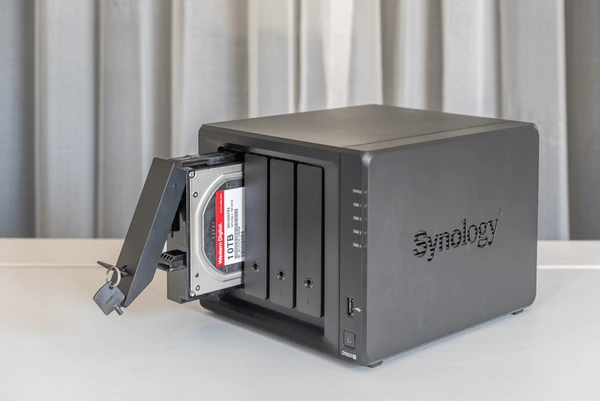
A Synology NAS is a small storage device that sits on your office network and gives your whole team one shared, central place to store and access files. Most Malaysian SMEs benefit from one once they outgrow scattered USB drives and free cloud accounts, because it gives you fast local file sharing, automatic backups, and full control over where your data lives. It is worth it if you have three or more staff sharing documents or large files.
What a Synology NAS Actually Does
NAS stands for Network Attached Storage. In simple terms, a Synology NAS is a small box that holds two or more hard drives and plugs into your office network. Once it is set up, everyone on your team sees a shared drive where files live in one place instead of being scattered across personal laptops, USB sticks, and a dozen free cloud accounts.
Beyond shared folders, a Synology NAS can run scheduled backups of your staff computers, store and stream large files like photos and video, host private team apps, and sync selected folders to the cloud so you have an offsite copy. For a Shah Alam or Klang Valley SME, it becomes the quiet workhorse that keeps your business files organised, fast to open, and under your own roof.
Signs Your Business Has Outgrown USB Drives and Free Cloud
You probably need a NAS once you hear the same problems every week. Staff email files back and forth and lose track of which version is final. Someone keeps the only copy of an important folder on their personal laptop. Your free Google Drive or Dropbox is full and nobody wants to pay for ten separate upgrades. Large design or CAD files crawl when opened over the internet.
A NAS solves these by giving you one source of truth on your local network, with proper user accounts and folder permissions so each person only sees what they should. Files open at local network speed, which is far quicker than pulling a 500MB file down from the cloud. If three or more people share documents daily, a NAS usually pays for itself in saved time and fewer lost files.
What It Costs and How to Set It Up in Malaysia
A typical small business NAS uses a 2-bay or 4-bay Synology unit fitted with NAS-grade hard drives configured so that one drive can fail without losing your data. As a rough guide, a 2-bay setup with drives is an affordable one-time hardware cost, and a 4-bay gives you more room and redundancy for a growing team. Cybergate can supply the hardware and recommend the right size for your headcount and file types.
Setup matters as much as the box itself. The drives need to be configured correctly, user accounts and permissions set up to match how your team works, automatic backups scheduled, and remote access locked down safely. Cybergate offers onsite IT support per onsite call-out, quoted by region (first hour included), so a clean professional setup is straightforward to arrange across Shah Alam, Klang, and Melaka.
Keeping Your NAS Secure and PDPA-Friendly
A NAS holds your most important business data, so security is not optional. The essentials are strong unique passwords, two-factor authentication on every account, keeping Synology DSM software updated, and never exposing the device directly to the internet without a proper firewall or VPN. Ransomware often targets poorly secured NAS devices, so these basics genuinely matter.
Storing customer data on a NAS also fits well with the PDPA, because the data stays on equipment you control rather than scattered across personal accounts. The key is to pair the NAS with a clear backup that follows the 3-2-1 rule: three copies of your data, on two types of media, with one copy offsite. A NAS plus an automatic cloud backup gives you exactly that, which is the foundation of any serious backup and disaster recovery plan.
Need help with this?
Cybergate provides IT support, cybersecurity, Microsoft 365 and SEO for Malaysian businesses. Free consultation, no obligation.
Get Free Consultation WhatsApp UsKartik Periasamy
Kartik Periasamy is the founder of Cybergate Technology Malaysia, with more than 13 years in IT and technology including a Subject Matter Expert role at Dell. He now leads SEO, AI search and web strategy for businesses across Malaysia and Singapore.