
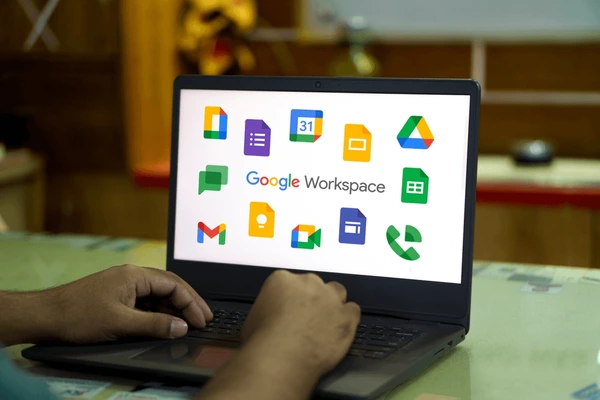
Google Workspace is Google's cloud productivity suite, bundling business Gmail with your own domain, Drive storage, Docs, Sheets, Meet and admin controls into one subscription. It suits Malaysian SMEs that want simple browser-based collaboration, strong spam filtering and predictable per-user pricing. Plans start around USD 7 per user a month, and a partner like Cybergate can handle setup, migration and security so nothing breaks.
What Google Workspace Actually Includes
Google Workspace is a single subscription that ties together the Google tools most people already know, but with a business wrapper around them. You get Gmail running on your own company domain, Google Drive for file storage, and the full Docs, Sheets and Slides editors. On top of that sit Google Meet for video calls, Google Calendar for scheduling, and Chat for quick internal messaging. The difference from free Gmail is ownership, control and support.
The part that matters most for a business is the Admin console. This is where you create staff accounts, reset passwords, enforce security rules and control who can access what. With free Gmail every account is personal and unmanaged. With Workspace, the company owns every mailbox, so when a staff member leaves you simply suspend the account and keep the data. That single capability is why most serious Malaysian SMEs eventually move off free email.
Workspace is browser-first, which means staff can work from any device with a login and internet connection. That makes it a natural fit for teams that move between the office, client sites and home. If your people live in spreadsheets and shared documents all day, the real-time collaboration in Workspace is hard to beat.
Google Workspace vs Free Gmail: Why the Difference Matters
Plenty of small Malaysian businesses still run on free @gmail.com addresses or, worse, a mix of personal accounts. It feels free, but it quietly costs you. A yourname@gmail.com address looks amateur to clients and is easy to spoof. There is no central control, no company ownership of data, and no support line when something breaks. If an employee leaves, their mailbox and files can walk out the door with them.
Google Workspace fixes all of this. Your email becomes yourname@yourcompany.com.my, every account is owned and managed by the business, and you get a real Google support channel for paid customers. You also unlock business features like shared drives, longer meeting limits, advanced security settings and proper data retention. For any company that invoices clients or handles sensitive information, these are not luxuries.
The cost of switching is modest and the upside is real credibility plus control. We cover the email side in more depth in our guide on email and productivity through cloud productivity suites, since the same ownership argument applies whether you choose Google or Microsoft.
Google Workspace Plans and Pricing in 2026
Google Workspace is sold per user, per month, which keeps budgeting simple. There are four main business tiers. Business Starter is the entry plan with 30GB of pooled storage per user and standard Meet. Business Standard lifts storage to 2TB per user and adds recording and larger meetings. Business Plus pushes storage to 5TB with stronger security and compliance controls. Enterprise is custom-priced for larger organisations with advanced needs.
As a rough guide, Business Starter sits around USD 7 per user a month, Business Standard around USD 14, and Business Plus around USD 22, billed in US dollars even for Malaysian customers. Always confirm current pricing before you commit, because Google adjusts these figures periodically and annual commitments can change the effective rate. The right tier depends on how much storage and security your team really needs.
Here is a quick way to think about which plan fits:
- Business Starter: small teams, light storage, basic video calls.
- Business Standard: most SMEs, generous storage, meeting recordings and shared drives.
- Business Plus: data-heavy or compliance-conscious firms needing advanced controls.
- Enterprise: larger organisations with strict governance and security requirements.
Which Plan Is Right for a Typical Malaysian SME
For most small and medium businesses in the Klang Valley, Business Standard is the sweet spot. The 2TB of storage per user is plenty for years of email, documents and shared files, and the plan includes meeting recordings and shared drives that teams quickly come to rely on. Starter can work for a very lean team, but the 30GB storage ceiling fills up faster than people expect once attachments and shared files pile up.
Business Plus makes sense if you handle a lot of regulated data, want stronger security controls, or need longer data retention for compliance. Many Malaysian SMEs in healthcare, finance and professional services choose Plus precisely for those controls. The jump in price is justified when the data you hold would be costly or embarrassing to lose or leak.
You do not have to put every staff member on the same tier. A common pattern is Business Standard for most of the team and Business Plus for directors or finance staff who handle sensitive material. If you are unsure, our team can map your headcount and workflows to the most cost-effective mix as part of a managed IT engagement.
Setting Up Google Workspace the Right Way
Getting Workspace running is more than signing up and creating mailboxes. The foundation is your domain. You need to verify ownership of your company domain and then configure the DNS records that route email correctly. That includes the MX records that point mail to Google, plus the SPF, DKIM and DMARC records that prove your messages are genuine and stop your domain from being spoofed by scammers.
Skipping the SPF, DKIM and DMARC step is one of the most common mistakes we see. Without them, your legitimate emails are more likely to land in spam, and criminals find it easier to send fake invoices pretending to be your company. Setting these records correctly from day one protects your sender reputation and your clients. It is fiddly work, but it pays off every single day afterwards.
Once the domain side is solid, you create user accounts, set up groups for departments, and configure sharing and security defaults before anyone logs in. Doing this in the right order avoids the painful cleanup of fixing permissions after staff have already scattered files everywhere.
Gmail for Business: More Than Just Email
Business Gmail looks like the Gmail everyone knows, but it carries serious infrastructure underneath. Google's spam and phishing filtering is among the best in the world, and for a Malaysian SME that is a genuine security layer, not just a convenience. The vast majority of attacks still arrive by email, so filtering that quietly removes most malicious messages before staff ever see them is doing real protective work.
On the productivity side, business Gmail gives you bigger mailboxes, the ability to send from shared addresses like sales@ or support@, and tight integration with Calendar, Meet and Drive. Staff can turn an email into a calendar invite or a video call in a couple of clicks. Search across years of mail is fast and reliable, which matters when you need to find an old client thread under pressure.
Filtering is strong but not perfect, so staff awareness still matters. We regularly see well-crafted phishing get through to inboxes, which is why we pair Workspace with security training and multi-factor authentication, covered in our piece on cybersecurity for SMEs.
Google Drive and Shared Drives Explained
Google Drive is where your files live in Workspace, and understanding the difference between My Drive and Shared Drives saves a lot of grief. My Drive belongs to the individual user. Anything stored there is owned by that person, so if they leave the company and their account is deleted, those files can disappear with them. That is a quiet risk many businesses do not notice until it bites.
Shared Drives solve this by making the company the owner of the files, not the individual. Departments get their own Shared Drive, membership is controlled centrally, and files stay put no matter who comes or goes. For any business document that matters, Shared Drives should be the default. It turns Drive from a pile of personal folders into a proper company file system with sensible access control.
Setting up a clean Shared Drive structure early prevents the chaos of duplicated files and broken sharing links later. Map your departments, decide who can view versus edit, and train staff to save business files in the right place from the start.
Collaboration with Docs, Sheets, Slides and Meet
The collaboration tools are where Workspace earns its keep day to day. Multiple people can edit the same Doc, Sheet or Slide at the same time, with every change saved automatically and a full version history to roll back if needed. There is no emailing files back and forth and no confusion over which copy is the latest. For teams that build quotes, reports and proposals together, this alone often justifies the subscription.
Google Meet handles video calls and screen sharing without anyone installing software, since it runs in the browser. Meetings can be recorded on the higher plans, which is useful for training or for staff who missed a session. Calendar ties it together by letting people see availability, book rooms and attach Meet links to invitations automatically.
These tools shine for distributed and hybrid teams. If part of your workforce is remote, the real-time editing and easy video calling remove a lot of the friction that used to come with working apart. We dig into the wider setup in our coverage of work-from-home IT for Malaysian teams.
Google Workspace Security and Admin Controls
Security in Workspace is centred on the Admin console, and the single most important setting is multi-factor authentication. Turning on 2-step verification for every account stops the overwhelming majority of account takeovers, because a stolen password alone is no longer enough to get in. For any business account, MFA should be mandatory, not optional. It is the cheapest, highest-impact control you can switch on.
Beyond MFA, the Admin console lets you enforce password rules, control which apps can connect to your data, restrict file sharing outside the company, and wipe a lost device remotely. You can see login activity and get alerts on suspicious behaviour. These controls turn a collection of accounts into a managed, defensible environment rather than a soft target.
The catch is that these settings need someone to configure and maintain them. Out of the box, Workspace is reasonably safe but not hardened. We typically apply a security baseline, enforce MFA, and review the configuration as part of ongoing managed IT so the protection stays current as Google adds features and threats evolve.
PDPA and Data Residency: What Malaysian Businesses Should Know
Malaysian SMEs handling customer data must comply with the Personal Data Protection Act (PDPA), and using a cloud service like Google Workspace does not remove that responsibility. Under the PDPA you remain the data controller, which means you are accountable for how personal data is collected, stored and protected, even when a global provider does the actual hosting. Choosing a reputable provider with strong security helps, but the obligation stays with you.
Google operates large, certified data centres and offers encryption in transit and at rest, plus contractual commitments around data handling. For most SMEs this provides a solid technical foundation for PDPA compliance. What you still need to manage are the human and process sides: who can access data, how long you keep it, how you respond to a breach, and what you tell customers about how their data is used.
Practical PDPA compliance with Workspace means enforcing MFA, limiting external sharing, keeping access tight, and having a clear breach response plan. We cover the wider rules and the 72-hour notification expectations in our PDPA compliance guide, and we help clients line up their Workspace settings with those obligations.
Migrating to Google Workspace Without Losing Email
The biggest fear in any email move is losing messages or having downtime that disrupts the business. A proper migration avoids both. The approach is to set up Workspace fully, verify the domain, and migrate existing mail, contacts and calendars across before flipping the MX records that direct new mail to Google. Done in the right sequence, staff keep working throughout and nothing is lost.
Where you are migrating from matters. Moving from another cloud platform, an old POP or IMAP mail server, or a hosting provider's mailboxes each needs a slightly different method, but the principle is the same: copy everything across, verify it arrived, then switch over. We always run a verification pass so that folders, attachments and calendar entries are confirmed present before the old system is retired.
Rushing a migration or skipping the verification step is how businesses end up with missing emails and angry staff. If you are weighing Google against Microsoft, our comparison of Microsoft 365 and Google Workspace helps you choose before you commit to a move.
Google Workspace vs Microsoft 365 for Malaysian SMEs
Both Google Workspace and Microsoft 365 are excellent, and for most SMEs the choice comes down to working style. Workspace is browser-first, lightweight and superb for real-time collaboration. If your team lives in shared documents, jumps between devices, and values simplicity, Google often feels more natural. The learning curve is gentle and the tools are fast.
Microsoft 365 tends to win where businesses rely heavily on the desktop versions of Excel, Word and Outlook, need advanced spreadsheet features, or already run a Windows-centric environment. Industries with complex spreadsheets or strict document formatting often lean Microsoft. The two suites are closer than ever on features, so the deciding factor is usually existing habits and the specific apps your team cannot live without.
There is no universally right answer, only the right fit for your team. We help clients pick based on how they actually work rather than brand loyalty. If you want a structured side-by-side, our dedicated Microsoft 365 versus Google Workspace article lays out the trade-offs in detail.
Common Google Workspace Mistakes SMEs Make
The most frequent mistake is treating Workspace like free Gmail and never touching the Admin console. Companies create accounts, hand out passwords, and walk away without enforcing MFA, configuring sharing rules or setting up Shared Drives. The result is a tool that is technically capable but left wide open, with files owned by individuals and security defaults untouched.
Another common error is poor offboarding. When staff leave, their accounts are sometimes left active for months, which is both a security hole and a waste of licence fees. The correct process is to suspend the account immediately, transfer any needed files, and reassign or remove the licence. Without a process, businesses quietly pay for ghost accounts and leave doors open for ex-employees.
Other recurring issues include never reviewing external sharing, storing critical files in personal My Drive instead of Shared Drives, and assuming Google backs up everything forever. Workspace protects against its own outages, but it does not protect you from a staff member deleting files or an account being compromised, which is why a separate backup still matters.
Does Google Workspace Replace Your Backup?
This trips up a lot of business owners. Google Workspace is highly reliable and Google protects your data against hardware failure and outages on their side. But that is not the same as backup. If a staff member deletes a folder, a mailbox is compromised, or files are encrypted by ransomware synced from a laptop, Google will faithfully replicate that damage. Recovery windows for deleted data are limited and not designed for serious data loss.
For genuine protection you want a separate, independent backup of your Workspace data that you control, with longer retention and easy restore. This guards against accidental deletion, malicious insiders and account compromise, none of which Google's own redundancy is built to undo. For a few ringgit per user a month, it removes a major single point of failure.
We treat third-party backup as a standard part of a healthy Workspace setup, not an optional extra. Our guide to backup and disaster recovery explains the 3-2-1 approach and why cloud data still needs its own safety net.
Getting Local Support for Google Workspace in the Klang Valley
Buying Workspace directly from Google gives you the licences but leaves the setup, security and day-to-day support to you. For a small business without a dedicated IT person, that gap is where problems pile up. Domain records get misconfigured, MFA never gets enforced, migrations go sideways, and nobody is on call when email suddenly stops working before an important deadline.
Working with a local partner closes that gap. A Malaysia-based provider can handle the domain and DNS setup, run a clean migration, apply a security baseline, train your staff, and be reachable on WhatsApp when something needs fixing fast. Being in the same time zone and able to come onsite in Shah Alam, Klang or wider Selangor makes a real difference when an issue is urgent.
Cybergate sets up and supports Google Workspace for SMEs across the Klang Valley and Melaka, from first-time deployments to migrations and ongoing management. Managed IT support is on a monthly retainer, and if you need hands-on help we offer onsite IT support per visit.
Key Takeaways
Google Workspace gives Malaysian SMEs professional email on their own domain, generous cloud storage, real-time collaboration and central admin control for a predictable per-user fee. It is a strong fit for browser-first, collaborative teams that want simplicity without sacrificing security or ownership of their data.
To get it right, choose the plan that matches your storage and security needs, configure the domain records properly, enforce MFA from day one, use Shared Drives for company files, and add an independent backup. Pair those with sensible PDPA practices and a clean migration, and Workspace becomes a reliable backbone for the business.
- Business Standard suits most Klang Valley SMEs; Business Plus for data-sensitive firms.
- Set SPF, DKIM and DMARC correctly to protect email deliverability and your domain.
- Enforce 2-step verification on every account, no exceptions.
- Store business files in Shared Drives, not personal My Drive.
- Add third-party backup, because Workspace redundancy is not a backup.
Need help with this?
Cybergate provides IT support, cybersecurity, Microsoft 365 and SEO for Malaysian businesses. Free consultation, no obligation.
Get Free Consultation WhatsApp UsKartik Periasamy
Kartik Periasamy is the founder of Cybergate Technology Malaysia, with more than 13 years in IT and technology including a Subject Matter Expert role at Dell. He now leads SEO, AI search and web strategy for businesses across Malaysia and Singapore.