
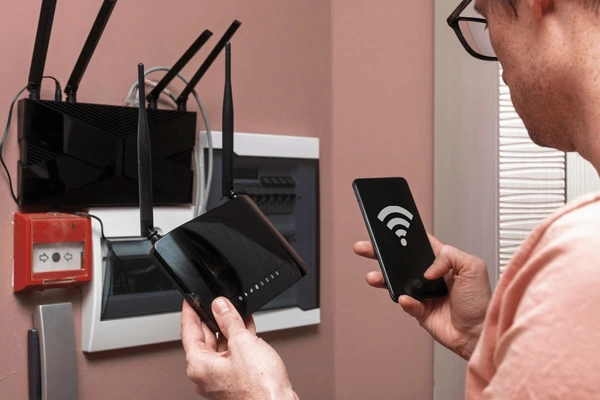
A reliable office network needs four things working together: structured cabling to every desk and access point, a business-grade router and firewall at the front, managed switches to connect everything, and properly placed Wi-Fi access points for wireless coverage. Add a separate guest network, secure passwords and a backup internet line, and most Malaysian SMEs get fast, stable connectivity that scales as the team grows. Cybergate designs, cables and configures office networks across Shah Alam, Klang Valley and Melaka.
Why Your Office Network Is the Foundation of Everything
Almost every tool your business relies on runs over the network. Email, cloud files, video calls, the accounting system, CCTV, the POS terminal and even the office phones all depend on a connection that simply works. When the network is slow or keeps dropping, every one of those tools feels broken, and staff lose hours waiting for files to load or calls to reconnect. A well built network is invisible because it never gets in the way.
Many Malaysian SMEs grow into their network by accident. They start with the free router from the internet provider, add a cheap switch when they run out of ports, then plug in a consumer Wi-Fi extender when coverage gets patchy. The result is a patchwork that nobody fully understands and that fails at the worst possible moment. Planning the network properly from the start, or fixing it in one clean project, pays for itself in fewer interruptions.
Think of the office network the same way you think of electrical wiring. You would not run a whole office on a tangle of extension cords, and you should not run your business on a chain of consumer routers either. A clean, documented network is something you can build on for years, and it is far cheaper to do once than to keep patching.
The Four Layers of a Business Network
Every solid office network is built from four layers that each do one job well. Understanding these layers helps you spend money where it matters instead of buying the wrong gear. They are the internet connection, the router and firewall, the switches, and the wireless access points. Get all four right and the network behaves predictably even as you add staff and devices.
The internet connection brings the line into your building. The router and firewall sit at the front and decide what traffic is allowed in and out, protecting the office from the public internet. The switches are the traffic junctions that connect every wired device together. The access points broadcast Wi-Fi so phones and laptops can join wirelessly. Each layer talks to the next, and a weak link anywhere slows the whole chain.
- Internet line: fibre from Unifi, Maxis, TIME or similar, ideally with a backup line
- Router and firewall: the security gateway between your office and the internet
- Switches: wired junctions, usually managed and often with PoE for access points
- Access points: ceiling-mounted units that broadcast strong, even Wi-Fi
Structured Cabling: The Part You Cannot See but Always Feel
Structured cabling is the network of cables running inside your walls and ceiling to each desk, access point and device. It is the least glamorous part of any setup and the one people most often skimp on, yet it determines the ceiling of your speed and reliability for the next decade. A good cabling job is neat, labelled and terminated into a proper patch panel inside a network cabinet, not a bird nest of loose cables behind a cupboard.
For a new office in 2026 we recommend at least Cat6 cabling, which comfortably handles gigabit speeds and supports faster speeds over short runs. Each workstation should get at least one network point, and many businesses run two so they can connect a desk phone or a second device without depending on Wi-Fi. Access point locations also need a cable run, because the best wireless still relies on a wired connection back to the switch.
Cabling is best done before furniture and staff move in, while ceilings and trunking are still accessible. If you are fitting out a new unit in Shah Alam, Klang or Melaka, plan the cabling at the same time as the renovation. Retrofitting cables into a fully occupied office is possible but slower and messier, so getting it right early saves real money and disruption.
Choosing the Right Internet Line in Malaysia
Malaysian SMEs have plenty of fibre options, and the right one depends on how many people share the line and how much they upload. A small team browsing and emailing can run happily on a consumer-grade plan, but once you have heavy cloud usage, large file transfers and many video calls at once, a business plan with better support and a service level commitment becomes worth the extra cost. Business plans also tend to recover faster when something breaks.
Upload speed matters more than most people expect. When staff back up to the cloud, send big files to clients or host video calls, they are uploading constantly, and many home plans are weak on the upload side. Check both the download and upload figures before committing, and match the plan to how your team actually works rather than to the headline download number on the advertisement.
For any business that cannot afford downtime, a second internet line from a different provider is the single best resilience upgrade you can buy. A business-grade router can automatically switch to the backup line the moment the main one fails, so staff barely notice the outage. We pair this with proper backup and disaster recovery planning so both your data and your connectivity have a fallback.
Router and Firewall: Your First Line of Defence
The router and firewall is the gatekeeper between your office and the open internet, and it is where security really begins. A business-grade firewall does far more than the basic box your internet provider supplies. It inspects traffic, blocks known threats, filters dangerous websites and lets you control what staff can and cannot reach. For any business handling customer data under the PDPA, this layer is not optional.
Consumer routers are built for homes, not offices. They struggle when dozens of devices connect at once, they rarely get security updates, and they give you almost no visibility into what is happening on your network. A managed firewall from a brand like Fortinet or SonicWall gives you logging, alerts and the ability to segment your network so that a compromised laptop cannot reach your servers or POS system.
The firewall is also where remote access is controlled. If staff work from home or connect from client sites, a properly configured VPN on the firewall lets them reach office resources securely without exposing those systems to the whole internet. This ties directly into our cybersecurity services, because the firewall is the foundation that the rest of your defences sit on.
Switches: The Quiet Workhorses of the Network
Switches are the boxes that everything wired plugs into, and they are easy to overlook until you run out of ports. An unmanaged switch simply passes traffic between whatever is connected, which is fine for a tiny office. As you grow, a managed switch becomes the better choice because it lets you separate traffic into different segments, prioritise important devices and see exactly what is plugged in where.
Power over Ethernet, or PoE, is a feature worth paying for. A PoE switch sends both data and electrical power down the same cable, which means your Wi-Fi access points, IP cameras and desk phones do not need separate power adapters. This keeps installations tidy and makes it easy to mount access points on the ceiling where there is no power socket nearby. For most SME offices a single PoE switch handles everything cleanly.
Sizing the switch correctly saves a return trip. Count every wired device, add your access points and a margin for growth, then choose a switch with enough ports to cover all of it with room to spare. It is far cheaper to buy a slightly larger switch once than to daisy chain a second cheap one later and create a tangle that nobody can troubleshoot.
Wi-Fi Access Points: Coverage Without Dead Zones
Good Wi-Fi is the result of proper access points placed in the right spots, not one powerful router shoved in a corner. A single consumer router cannot cover a typical office floor evenly, which is why you get strong signal near the box and frustrating dead zones at the far meeting room. Business access points are designed to be spread across the ceiling so coverage stays even wherever staff sit.
When you use several access points, they should all broadcast the same network name so devices roam smoothly from one to the next as people move around. A phone on a call should hand over from the access point near reception to the one near the pantry without dropping. This seamless roaming is something consumer extenders cannot do well, because each extender creates its own separate network that devices cling to even when the signal is weak.
Placement is part science and part site survey. Walls, glass partitions, metal shelving and even other Wi-Fi networks in the building affect coverage, so the ideal number and position of access points depends on your actual floor plan. We walk the site, measure signal strength and place units where they deliver even coverage rather than guessing, which avoids both dead zones and the waste of buying more hardware than you need.
Splitting Staff and Guest Networks
Every office that offers Wi-Fi to visitors should run a separate guest network. When guests, contractors and walk-in clients share the same network as your staff and servers, a single infected device can put your whole business at risk. A guest network isolates visitors so they can reach the internet but never your internal files, printers or systems.
Network separation is also useful inside the business. Many SMEs put CCTV cameras, POS terminals and smart devices on their own segments so that if one of them is compromised, the attacker cannot jump across to the computers holding customer data. This kind of segmentation is straightforward to set up on a managed switch and firewall, and it is one of the highest value security steps for the lowest effort.
Keep the guest network simple and rotate its password regularly, especially in offices with a steady flow of visitors. A short, friendly password printed on a small card at reception works well, and changing it every so often stops old contacts from quietly using your line for months.
Securing the Network the Right Way
A fast network that is wide open is a liability, so security has to be built in rather than bolted on later. Start with the basics that are too often skipped: change every default password on routers, switches and access points, use strong unique passwords, and keep the firmware on all devices up to date. Default credentials are one of the first things attackers try, and out of date firmware is full of known holes.
Beyond the basics, lock down who can manage the network and from where. Administrative access to the firewall and switches should be limited to known devices and protected with multi factor authentication wherever possible. Pair this with endpoint protection on every computer so that a threat that slips past the firewall still meets resistance on the device itself, a layered approach we cover in our endpoint management service.
Finally, treat security as ongoing rather than a one-time setup. New threats appear constantly, staff come and go, and devices get added over time. Regular reviews of firewall rules, Wi-Fi passwords and connected devices keep the network tight. For businesses that prefer to hand this off, our managed IT support includes keeping the network patched, monitored and documented.
Planning a Network for a New or Growing Office
The best time to design a network is before anyone moves in. When you are fitting out a new unit, the cabling, network cabinet and access point positions can all be planned alongside the renovation, which is far cheaper than retrofitting later. Walk the empty floor with the desk layout in hand and mark where every workstation, printer, camera and access point will sit.
Plan for where the business will be in three years, not just where it is today. Adding a few extra network points and buying a switch with spare ports costs very little at install time but saves a disruptive upgrade when you hire more people. A network cabinet with room to grow keeps everything tidy and makes future additions a quick job rather than a rebuild.
Document everything as you go. A simple diagram of what connects to what, a labelled patch panel and a list of device passwords stored securely will save hours every time something needs troubleshooting. When we install a network we hand over this documentation so the business is never dependent on memory or guesswork when a problem appears.
What an Office Network Setup Costs in Malaysia
The honest answer is that network cost depends on the size of the office, the number of points and the quality of equipment you choose. A small office with a handful of desks and one access point is a modest project, while a multi-room office with cameras, phones and dozens of points is a larger one. Rather than quote a flat figure, a good provider visits the site, understands the layout and gives a clear itemised proposal.
Most of the cost falls into three buckets: the cabling and labour to run it, the active equipment such as the firewall, switches and access points, and the configuration time to set it all up securely. Cabling is usually priced per point, equipment is a one-time hardware cost, and configuration is a one-off setup fee. Ongoing support, if you choose it, is separate and predictable.
If you would rather not carry the network in-house, our managed IT support is on a monthly retainer and can include the network alongside your computers and email. For one-off fixes or installs, our onsite IT support is quoted per visit. We always confirm scope and pricing before any work begins.
Wired or Wireless: When to Use Each
Wireless is convenient, but wired is still faster and more reliable for anything that stays in one place. Desktop computers, printers, servers, POS terminals and CCTV cameras all benefit from a cable, because a wired connection does not compete with phones and laptops for airtime and never drops out due to interference. Reserve Wi-Fi for the devices that genuinely need to move around.
A common mistake is putting everything on Wi-Fi to save on cabling, then wondering why the network feels slow at busy times. When twenty laptops, fifteen phones and a handful of smart devices all share the air, congestion is inevitable. Moving the stationary devices onto cables frees up the wireless for the things that truly need it, and the whole office feels faster.
The right answer for most offices is a blend. Cable everything that sits still, give good Wi-Fi to everything that moves, and size both layers for growth. This balance gives you speed where it counts and flexibility where it helps, without overspending on either side.
Common Network Problems and What Causes Them
When an office complains that the internet is slow, the cause is often inside the building rather than with the provider. A cheap switch that has overheated, an access point in the wrong place, a failing cable or simply too many devices on one consumer router are all far more common than an actual line fault. Diagnosing the real cause takes the right tools and a methodical approach.
Intermittent drops, where the connection works then briefly fails, are among the most frustrating issues and usually point to a hardware problem or interference. A dying power adapter, a loose cable in the cabinet, or a neighbour Wi-Fi clashing with yours can all cause it. Because the symptom comes and goes, these faults are hard to catch without monitoring, which is one reason documented, managed networks are easier to fix.
- Slow at busy times: usually congestion from too many devices on weak gear
- Dead zones: poor access point placement or too few of them
- Random drops: failing cables, adapters or wireless interference
- One area offline: a single switch or cable run has failed
- Everything down: internet line fault or the main router or firewall
How Cybergate Sets Up Office Networks
We treat a network as a project with clear stages rather than a box of parts. It starts with a site visit to understand the floor plan, the number of staff and the way the business works. From there we design the cabling layout, choose equipment that fits the budget and the need, and give you a clear proposal before anything is bought or installed.
On installation day our team runs and terminates the cabling, mounts the access points, sets up the cabinet and configures the firewall, switches and Wi-Fi securely. We test coverage across the floor, confirm speeds, set up the guest network and lock down the security settings. Nothing is left on default, and everything is labelled so future work is simple.
We work across Shah Alam, the wider Klang Valley and Melaka, and we support what we install. Whether you want us to set up the network and hand it over, or look after it on an ongoing basis as part of managed IT, the goal is the same: a network that quietly works so you can get on with running the business.
Key Takeaways
A reliable office network is built from four layers that each matter: the internet line, the router and firewall, the switches and the access points. Skimp on any one and the whole network suffers. Structured Cat6 cabling is the foundation that sets your ceiling for speed and reliability, so it is worth doing properly while ceilings are still accessible.
Security and planning are where most SMEs lose out. Change default passwords, separate guest and staff networks, keep firmware updated and document everything. Plan for where the business will be in three years rather than just today, and the network will scale with you instead of needing a rebuild.
If networking is not something you want to manage in-house, a local partner can design, install and support it for you. Cybergate sets up secure, documented office networks across Shah Alam, Klang Valley and Melaka, with onsite support per visit and managed IT on a monthly retainer.
Need help with this?
Cybergate provides IT support, cybersecurity, Microsoft 365 and SEO for Malaysian businesses. Free consultation, no obligation.
Get Free Consultation WhatsApp UsKartik Periasamy
Kartik Periasamy is the founder of Cybergate Technology Malaysia, with more than 13 years in IT and technology including a Subject Matter Expert role at Dell. He now leads SEO, AI search and web strategy for businesses across Malaysia and Singapore.