
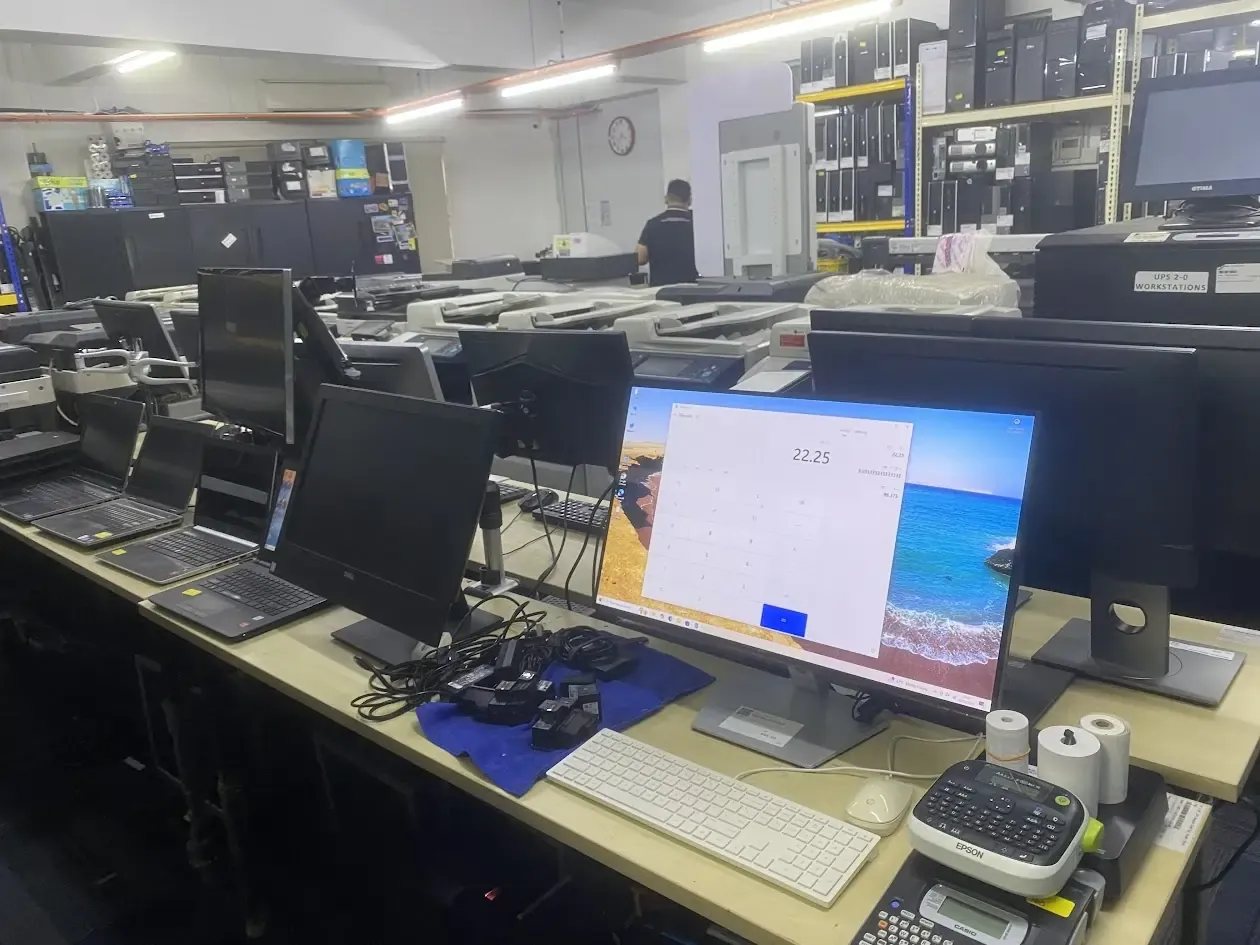
Onsite IT support means an engineer comes to your office in person to fix things that cannot be solved remotely, such as dead hardware, network cabling, server rooms, firewalls and new office setups. Most software and account problems are faster and cheaper to fix remotely, but anything physical needs hands on site. Cybergate onsite support is quoted per visit for standard work, with managed IT plans on a monthly retainer for businesses that want regular cover. If your problem is physical or urgent and you are in Shah Alam or the wider Klang Valley, onsite is usually the right call.
What Onsite IT Support Actually Means
Onsite IT support simply means a qualified engineer travels to your office and fixes the problem in person, rather than connecting over the internet. It is the right answer whenever the issue is physical or cannot be reached remotely: a server that will not power on, a tangle of network cables, a new office that needs everything wired up, or a firewall that has to be swapped out. The engineer brings the tools, spare parts and hands-on knowledge to sort it out on the spot.
For a Shah Alam business, onsite support is the visible, reassuring side of IT. Someone is physically there, you can show them the exact machine giving trouble, and they walk out with the job done. Our team covers Shah Alam, Klang, Petaling Jaya and the wider Klang Valley, so a real person can be standing in your office on the same day for urgent issues. You can read more about how we structure this on our onsite IT support page.
The key thing to understand is that onsite is one tool in a bigger toolkit. Many problems never need a visit at all because they can be solved faster and cheaper from a distance. Knowing which jobs truly need someone on the ground, and which do not, is how a sensible business keeps its IT costs under control while still getting fast help when it really matters.
Onsite vs Remote IT Support: The Real Difference
Remote support means an engineer connects to your computer or systems over a secure link and fixes things without leaving their desk. It is ideal for software errors, email setup, Microsoft 365 problems, slow PCs, printer drivers and account lockouts. Because there is no travel time, remote help is usually faster to start and cheaper for you. A good IT partner will always try remote first when the problem allows it, because that respects your budget.
Onsite support is for everything remote cannot touch. If a laptop will not turn on, a network point is dead, a server needs new drives, or you are fitting out a brand new office, no amount of remote access will help because the work is physical. The engineer has to be there with a screwdriver and a cable tester. This is the natural split between our IT support and outsourcing services and the hands-on visits we make across the Klang Valley.
Most established Malaysian SMEs end up using a blend of both. Day to day niggles get cleared remotely within minutes, while the heavier physical jobs are booked as onsite visits. The right mix keeps you productive without paying for a visit every time someone forgets a password. When you talk to a provider, ask how they decide between the two, because a partner who jumps to a chargeable visit for every small issue is not working in your interest.
Signs Your Shah Alam Business Needs Onsite Support
Some situations almost always call for an engineer in person. If you can answer yes to any of the points below, a visit is probably the fastest route to a fix rather than trading messages back and forth. Recognising these early saves you the frustration of trying to talk a stressed staff member through a hardware repair over the phone.
- A computer, server or network device is completely dead and will not power on.
- You are opening, moving or renovating an office and need everything cabled and connected.
- The internet or Wi-Fi keeps dropping in certain parts of the building.
- You need new hardware physically installed, such as a NAS, switch or firewall.
- Several machines are affected at once and you need someone to work through them quickly.
- A problem is urgent, business is stopped, and you cannot wait for back-and-forth troubleshooting.
None of these are unusual. They are the everyday realities of running a business with computers, and they tend to arrive at the worst possible moment. The value of having an onsite partner lined up in advance is that you are not scrambling to find help when a server dies on a Monday morning. You already know who to call, and they already know your setup.
Common Onsite IT Jobs We Handle
The range of onsite work is wide, but it clusters into a few familiar categories. The biggest is hardware: installing, repairing or replacing desktops, laptops, servers, network switches, routers, firewalls and storage devices. When a part fails, someone has to physically remove the old one and fit the new, and that is the kind of job that simply cannot be done over a remote connection no matter how good the software is.
The second big category is networking and cabling. Running new network points, tidying a messy comms cabinet, fixing dead ports, setting up Wi-Fi access points so coverage reaches every corner, and tracing why a connection keeps dropping all need a person walking the building with the right equipment. Poor cabling is behind a surprising number of mysterious slowdowns, and it only reveals itself to someone physically following the cables.
The third category is setups and changes: new staff workstations, office relocations, server room builds, and connecting printers, scanners and other shared devices. These are planned jobs rather than emergencies, and booking them as scheduled onsite visits keeps everything tidy. For physical storage and backup hardware in particular, our backup and disaster recovery work often starts with an onsite install before the ongoing monitoring moves to remote.
How Onsite IT Support Pricing Works in Malaysia
Honest onsite pricing is built around time and the type of work involved. At Cybergate, standard onsite support is quoted per visit. That covers the engineer arriving at your premises in Shah Alam or the surrounding Klang Valley and getting straight to work on everyday issues such as desktop repairs, printer installs, workstation setups and general troubleshooting. You know the starting figure before anyone gets in the car, with no vague surprises.
Heavier or more sensitive work is priced differently because it carries more risk and needs deeper expertise. Onsite work on servers, firewalls and NAS devices is quoted at a higher first-hour rate. These systems sit at the heart of your business, so a mistake there is far more costly than on a single desktop. The slightly higher rate reflects the care, certification and responsibility involved in touching the equipment everyone else depends on.
After the first hour, further time is charged fairly based on the work that remains. The important principle is transparency: you should always understand what you are paying for and why. Be cautious of any provider who refuses to give a clear starting rate, because vague pricing usually means the bill grows in ways you cannot predict. A trustworthy partner is happy to explain the numbers up front.
Standard Work vs Server, Firewall and NAS Work
The reason there are two onsite rates comes down to complexity and consequence. Standard work covers the things that, if they go wrong, affect one person or one machine. Setting up a new staff laptop, replacing a faulty monitor, installing a printer or clearing a stubborn software fault are all contained jobs. They still need skill, but the blast radius is small, which is why they sit at the standard first-hour rate.
Server, firewall and NAS work is different because these devices serve the whole company. A firewall protects every connection in and out of your office. A server may hold your shared files, applications and databases. A NAS stores the documents your whole team relies on. A careless change to any of these can take down the entire business, so the work demands more planning, more caution and stronger expertise, which is reflected in the higher first-hour rate for that work.
This split protects you as much as it prices the work. It means the engineer treats your core infrastructure with the seriousness it deserves rather than rushing it like a quick desktop fix. If you are unsure which category your job falls into, just describe the problem when you call and we will tell you honestly before booking anything, so there are no surprises when the engineer arrives.
Onsite Support for New Office Setups and Moves
Opening a new office or relocating an existing one is where onsite support proves its worth most clearly. There is a long list of physical tasks that all have to happen in the right order: running network cabling, mounting and configuring switches and routers, setting up the comms cabinet, positioning Wi-Fi access points for full coverage, and connecting every workstation, printer and phone. Trying to coordinate this remotely is simply not realistic.
A good IT partner will visit before the move to plan the layout, then return to do the installation so that on day one your team can sit down and work. This planning step matters, because retrofitting cabling or moving network points after the furniture is in place is far more expensive and disruptive than getting it right the first time. We treat office setups as projects, with a clear scope and timeline rather than a vague hourly drip.
For Shah Alam businesses in particular, being able to walk the actual unit with an engineer before signing a lease can save real money. They will spot where power and network points are missing, whether the building can support your internet needs, and how to lay things out for both productivity and future growth. That kind of advice is hard to give over a screen and easy to give standing in the room.
Network and Wi-Fi Problems That Need Someone on the Ground
Network and Wi-Fi complaints are among the most common reasons businesses call for onsite help, and they are often misdiagnosed. Staff blame the internet provider when the real culprit is a failing switch, a damaged cable, an overloaded router or poorly placed access points. The only way to find the truth is to be in the building, testing each segment of the network with proper tools until the weak link reveals itself.
Wi-Fi dead zones are a classic example. A single router stuck in a corner cannot cover a whole floor, especially through concrete walls common in Malaysian shop offices and factories. Fixing it means surveying the space, deciding where access points should sit, and running cabling to feed them. This is hands-on work that no remote session can do, and it is one of the most satisfying to resolve because the improvement is immediate and obvious to everyone.
Intermittent drops are the hardest faults of all because they come and go. An engineer on site can watch the network over time, swap suspect cables and devices one by one, and isolate the fault that a remote check would miss. If your office has nagging connection problems that nobody has ever properly traced, an onsite network review is usually money well spent and often pays for itself in recovered productivity.
Server, NAS and Firewall Work Up Close
Your server, NAS and firewall are the equipment most worth getting right, and most worth handling carefully. A server may run your accounting system, shared drives or line-of-business applications. A NAS holds the files your team opens all day. A firewall is the gatekeeper between your office and the wider internet. When any of these needs installing, upgrading or repairing, an experienced engineer on site is the safest way to avoid downtime and data loss.
Physical jobs here include fitting new drives, replacing failed power supplies, mounting equipment in a rack, connecting and configuring a new firewall, and setting up a NAS for shared storage and backup. Many of these tasks also touch sensitive data, which is why we plan them carefully and verify backups before making changes. If you run storage hardware, pairing an onsite install with a tested backup and disaster recovery plan is the combination that keeps you safe.
Once the hardware is in place and stable, a lot of the ongoing care can shift to remote monitoring. Tools that watch your devices around the clock can catch a failing drive or a security alert before it becomes a crisis, which ties neatly into platforms like our ManageEngine Endpoint Central service. The pattern is consistent: onsite for the physical build, remote for the day-to-day watching.
Onsite Support and Cybersecurity
Cybersecurity is often thought of as purely digital, but plenty of it has a physical side that benefits from onsite attention. Installing and configuring a proper firewall, segmenting your network so guest Wi-Fi cannot reach business systems, securing the comms cabinet, and making sure backup hardware is in place all start with someone in the building. These foundations decide how well the software defences on top of them can actually do their job.
An onsite visit is also a good moment for a practical security review. The engineer can check that machines are running supported, updated software, that no rogue devices are plugged into the network, and that staff are not relying on weak shared passwords or unprotected shared drives. Small physical oversights, like an unlocked server cupboard or an old router with default settings, are exactly the gaps attackers look for, and they are easy to miss from a distance.
Strong security is layered, combining good hardware, sensible configuration and ongoing monitoring. Onsite work lays the physical groundwork, while our broader cybersecurity services handle the continuous protection, staff awareness and security-focused practices that follow. For Malaysian businesses handling customer data, getting both the physical and digital sides right is not just good practice, it is part of meeting your obligations under the law.
How Fast Can an Engineer Reach You
Response time is one of the biggest practical reasons to have a local onsite partner rather than someone hours away. Because our team is based to serve Shah Alam and the surrounding Klang Valley, we can reach businesses in Shah Alam, Klang, Petaling Jaya and nearby areas quickly, and same-day visits are realistic for urgent problems. When your business is at a standstill, the difference between help today and help next week is enormous.
Realistic timing depends on the situation. A genuine emergency where work has stopped gets priority and the fastest possible visit. Planned jobs like an office setup or a hardware upgrade are scheduled at a time that suits you, often outside busy hours so your team is not disrupted. Being honest about urgency when you call helps us slot the right response, so tell us plainly whether the building is down or whether it can wait.
Distance genuinely matters here. A provider far from Shah Alam may quote travel charges or simply take longer to arrive, which is little comfort when a server is down. Choosing a partner who actively covers your area means shorter waits, lower travel costs and an engineer who already knows the roads, the buildings and often your specific setup from previous visits.
Pay-As-You-Go vs Managed IT Contracts
There are two main ways to buy onsite support, and the right one depends on how much you rely on technology. Pay-as-you-go suits businesses with occasional needs. You call when something breaks, an engineer visits, and you pay for that visit at the rates described above. There is no monthly commitment, which feels reassuring, but it does mean costs are unpredictable and you are always reacting after a problem has already hurt you.
A managed IT contract takes a different approach. For a predictable monthly fee, starting on a monthly retainer, you get ongoing support, monitoring and a set amount of help built in, so problems are often caught and fixed before they stop your business. This proactive model usually works out cheaper over a year for any company that depends on its systems, because prevention costs far less than emergency repairs and lost working hours.
Most growing Malaysian SMEs eventually move to a managed plan once they realise how much unplanned downtime actually costs them. You can compare the trade-offs in detail through our IT support and outsourcing options. As a simple rule, if your team cannot work when the computers are down, the steady cover of a managed contract is almost always the wiser investment compared with rolling the dice on pay-as-you-go.
How to Prepare for an Onsite Visit
A little preparation makes an onsite visit faster, cheaper and less stressful for everyone. Before the engineer arrives, write down exactly what is happening, when it started, and which machines or staff are affected. The more specific you can be, the quicker the diagnosis. Vague reports like the internet is slow take longer to pin down than precise ones like the third-floor Wi-Fi drops every afternoon around two o clock.
Make sure the engineer can actually get to the equipment. Clear access to the server cupboard, the comms cabinet and the affected desks saves time that would otherwise be spent moving furniture or hunting for keys. Have any passwords, account details or vendor contacts ready, and let your staff know a visit is happening so the right person is available to answer questions or test the fix once it is done.
Finally, think about what else might be worth doing while the engineer is already there. If you have a list of smaller niggles that never seemed urgent enough to call about, mention them at booking. Bundling several small tasks into one visit is far more economical than separate trips, and it means you get more value from the time you are paying for. A good partner will happily work through a sensible list.
Choosing an Onsite IT Partner in the Klang Valley
Picking the right onsite partner is about more than the cheapest hourly rate. Look first at coverage and response: are they genuinely set up to serve Shah Alam and the Klang Valley, and can they reach you quickly when it matters. A nearby provider who answers the phone and turns up the same day is worth far more than a distant one who is slightly cheaper on paper but slow when you actually need them.
Next, weigh up breadth and honesty. The best partners handle the full picture, from a single desktop to servers, firewalls, networks, Microsoft 365 and cybersecurity, so you are not juggling multiple vendors who blame each other when something breaks. Just as important, they should be upfront about pricing, try remote fixes first to save you money, and explain their recommendations in plain language rather than hiding behind jargon. You can see the local angle on our Shah Alam IT support page.
Finally, think about the relationship over time. IT support is not a one-off purchase, it is an ongoing partnership, so you want a team that learns your setup, remembers your history and genuinely cares whether your business runs smoothly. Cybergate works with Malaysian SMEs across Shah Alam, Melaka and the Klang Valley on exactly this basis, blending fast onsite visits with proactive remote care so technology stays a help rather than a headache.
Key Takeaways
Onsite IT support is for the physical and urgent work that remote help cannot reach: dead hardware, cabling, servers, firewalls, NAS devices and new office setups. Most software and account problems are faster and cheaper to solve remotely, so a sensible partner uses both and tries remote first whenever the problem allows it, keeping your costs sensible without sacrificing speed.
- Standard onsite support is quoted per visit; server, firewall and NAS work is quoted at a higher rate.
- Managed IT plans on a monthly retainer give predictable cover and catch problems early.
- Onsite is essential for office moves, cabling, Wi-Fi coverage and core hardware.
- A local Shah Alam and Klang Valley partner means faster response and lower travel costs.
- Prepare clear notes and easy access to make each visit faster and cheaper.
If your business is in Shah Alam or anywhere in the Klang Valley and you have a physical IT problem, an office setup on the horizon, or simply want a reliable team on call, onsite support is the practical answer. Get the foundations installed correctly in person, then let proactive remote monitoring keep watch, and your technology will quietly do its job while you get on with running the business.
Need help with this?
Cybergate provides IT support, cybersecurity, Microsoft 365 and SEO for Malaysian businesses. Free consultation, no obligation.
Get Free Consultation WhatsApp UsKartik Periasamy
Kartik Periasamy is the founder of Cybergate Technology Malaysia, with more than 13 years in IT and technology including a Subject Matter Expert role at Dell. He now leads SEO, AI search and web strategy for businesses across Malaysia and Singapore.