
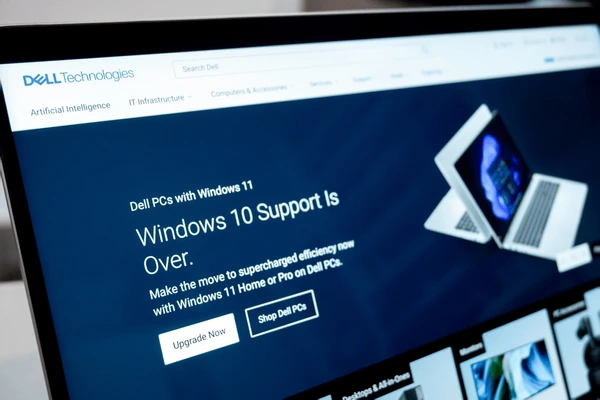
Microsoft ended mainstream support for Windows 10 on 14 October 2025, but it did not leave you stranded. You can still receive critical security updates through the Extended Security Updates (ESU) programme: consumers can enrol free by syncing Windows Backup, for 1,000 Microsoft Rewards points, or a one-time US$30 covering up to 10 devices, through 13 October 2026, while businesses with managed or domain-joined PCs buy Commercial ESU at US$61 per device in year one, roughly doubling each year through October 2028. For most Malaysian SMEs the smart move is to treat ESU as a short, paid bridge while you upgrade eligible PCs to Windows 11 for free and replace the rest.
Why Windows 10 end of life matters right now
If your office computers still run Windows 10, this is one of those quiet IT problems that does not announce itself until it becomes expensive. Microsoft officially ended mainstream support for Windows 10 on 14 October 2025. The machines did not stop working that day, and they will keep switching on as normal, which is exactly why many Malaysian businesses have not done anything about it yet. The danger is invisible until a security incident makes it very visible.
For a small or medium business in Shah Alam, Klang Valley or Melaka, the risk is practical rather than theoretical. A Windows 10 PC that is not patched slowly becomes the weakest link in your network, the door that attackers prefer. The good news is that you have options, from a free upgrade to Windows 11 on eligible machines to a low-cost Extended Security Updates bridge on the rest. The work is mostly planning and a bit of housekeeping, not a huge spend.
This guide walks through what end of support actually means, the Extended Security Updates options that keep Windows 10 patched a while longer, how to check whether your PCs can move to Windows 11, and roughly what it costs for a typical Malaysian SME. By the end you will have a clear plan you can act on this month.
What end of life actually means
End of life, sometimes called end of support, is the point where Microsoft stops releasing free updates for a product. The most important update it stops releasing is the monthly security patch. New weaknesses in Windows are discovered all the time, and patches are how those holes get closed. Once free patching stops, every newly discovered flaw stays open on your machine unless you enrol in the paid Extended Security Updates programme covered later in this guide.
It also means no more bug fixes, no feature updates, and no general technical support from Microsoft if something goes wrong. Over time, software vendors stop testing their products on the old system too, so your accounting package, your browser or your line-of-business application may start behaving oddly or refuse to install updates.
End of life is not the same as a machine breaking. A Windows 10 PC will keep running for years. The problem is that it becomes progressively less safe and less compatible the longer you leave it, in a way you cannot see from the outside. That gap between how things feel and how risky they actually are is what catches businesses out.
The security risk of staying on an unpatched Windows 10
The single biggest reason to act is security. An unsupported, unpatched system is a favourite target for ransomware and other attacks because the people writing the malware know the holes will not be fixed. One unpatched PC on your network can become the entry point that lets an attacker reach your shared files, your accounting data and your backups.
This is not scaremongering, it is simply how attacks spread. Many of the ransomware cases we see start from a single overlooked machine rather than a dramatic breach. If you want the full picture of how this plays out and how to defend against it, our guide to cybersecurity for Malaysian SMEs covers the layered approach that actually works, from endpoint protection to staff awareness.
Keeping one or two old Windows 10 machines around for a specific piece of software is a common situation, and it can be managed safely if you patch them through ESU or isolate them properly. What you should avoid is running your whole office on machines that no longer receive any security updates and hoping nothing happens.
The PDPA and compliance angle
Malaysia's Personal Data Protection Act expects businesses that hold customer data to take reasonable steps to keep that data secure. Running an operating system that is no longer receiving security updates is hard to defend as a reasonable security measure, especially after recent amendments raised the bar on the Security Principle and introduced breach notification duties.
If you ever suffer a data breach traced back to an unsupported, unpatched PC, the fact that a free upgrade or a low-cost ESU bridge was available and ignored does not help your position. Regulators, insurers and customers all tend to view known, unaddressed weaknesses unfavourably. Our cybersecurity page explains how PDPA obligations connect to everyday IT decisions like this one.
Moving to a supported setup is one of the cheapest compliance improvements a Malaysian SME can make. It does not require new policies or expensive tools, just keeping your software current and patched, which is the foundation everything else sits on.
Can your PC actually run Windows 11?
The first practical question is whether each PC can move to Windows 11 at all. Windows 11 has stricter hardware requirements than Windows 10, which is the main reason this upgrade is more involved than previous ones. The headline requirements are a reasonably modern processor, at least 4GB of RAM though 8GB is far more comfortable, 64GB of storage, and two security features called TPM 2.0 and Secure Boot.
Microsoft provides a free tool called PC Health Check that tells you in a few seconds whether a given machine is eligible. For a handful of PCs you can run it yourself. For a whole office, it is usually faster to have someone audit every device at once so you get a single clear list of what can upgrade and what cannot.
As a rough rule of thumb, business PCs bought from around 2019 onwards usually qualify, while machines older than that often do not. There are exceptions in both directions, which is exactly why an actual check beats guessing. The age of the machine is a hint, not the final answer.
The TPM 2.0 and Secure Boot sticking point
The two requirements that trip people up most are TPM 2.0 and Secure Boot. TPM stands for Trusted Platform Module, a small security chip that safely stores encryption keys and helps verify that your system has not been tampered with. Secure Boot is a feature that stops malicious software from loading before Windows starts.
Here is the part many businesses miss. A lot of PCs that look ineligible actually have TPM 2.0 and Secure Boot built in, but switched off in the system settings. Turning them on in the firmware can make a machine you assumed was finished suddenly eligible for Windows 11. We regularly rescue PCs from the replacement pile this way during an audit.
That said, fiddling with firmware settings is fairly technical and a wrong change can stop a machine booting. If you are not comfortable in the BIOS, this is a sensible point to bring in help rather than experiment on a working office computer. Our onsite IT support team handles exactly these checks across Shah Alam and the Klang Valley.
Your options if a PC cannot upgrade
When a machine genuinely cannot run Windows 11, you have a few sensible paths rather than just one. The right choice depends on how the PC is used, how old it is and how much budget you have. There is rarely a single correct answer for a whole office, so it is normal to mix approaches.
- Replace it with a new or quality refurbished Windows 11 PC, which is the cleanest long-term option for any machine used daily.
- Repurpose it for a low-risk, offline-only task that does not touch the internet or sensitive data.
- Keep it patched on an Extended Security Updates plan while you budget for replacement.
- Retire it entirely if it is slow, unreliable and not worth spending money on.
For older but still usable hardware, a good refurbished business machine can be a smart, budget-friendly way to get onto Windows 11 without paying full retail. The key is buying from someone who tests and warranties the units rather than gambling on the cheapest listing you can find online.
Extended Security Updates: your bridge, not a dead end
It is worth being clear that Windows 10 has not been abandoned overnight. Microsoft runs a programme called Extended Security Updates, or ESU, that keeps delivering the critical and important security patches to Windows 10 version 22H2 after the October 2025 cutoff. ESU covers security fixes only, not new features, bug fixes or technical support, so it is a safety net while you migrate rather than a way to keep Windows 10 forever.
For consumers and very small setups, the consumer ESU route runs until 13 October 2026 and is genuinely affordable. You can enrol in one of three ways, and one licence covers up to 10 devices.
- Free of charge if you sync your PC settings using Windows Backup to a Microsoft account.
- By redeeming 1,000 Microsoft Rewards points.
- As a one-time purchase of about US$30 plus tax.
There is an important catch for businesses: consumer ESU cannot be used on PCs that are joined to a domain or Microsoft Entra, or managed through an MDM solution, which rules out many properly managed office machines. Those need Commercial ESU instead, bought through volume licensing at around US$61 per device for the first year and roughly doubling each year, to about US$122 and then US$244, for up to three years ending in October 2028. The cost is cumulative, so joining late still means paying for the earlier years.
For most Malaysian SMEs the maths is simple. A year or two of ESU per machine quickly approaches the cost of just moving to Windows 11 or replacing an old PC, which is why we treat ESU as a deliberate, time-limited bridge with a clear end date rather than a long-term plan. It is the right tool when you have a stubborn application or a batch of PCs you cannot replace before a busy season, not a reason to delay the upgrade indefinitely.
How to check what you are running
Before you can plan anything, you need to know exactly what you have. Many businesses are surprised to discover a few forgotten Windows 10 machines tucked away in a back office or used only occasionally. A quick check on every device stops those surprises later. Here is how to see what a single PC is running.
- Press the Windows key, type winver and press Enter to see the exact Windows version and edition.
- Open Settings, then System, then About to confirm the processor, RAM and system type.
- Download and run Microsoft PC Health Check to get a plain yes or no on Windows 11 eligibility.
- Note down each machine, its user, and whether it passed, so you have one master list.
If you manage more than a handful of computers, doing this by hand quickly becomes tedious and easy to get wrong. Tools like ManageEngine Endpoint Central can inventory every device on your network automatically and report which ones are ready for Windows 11, which saves a lot of walking around the office.
Plan your upgrade with an inventory first
The mistake we see most often is treating this as an emergency and upgrading machines randomly the moment someone notices the deadline has passed. A calm, inventory-led approach is faster and far less disruptive. Start by listing every PC, who uses it, what software it depends on, and whether it can run Windows 11.
With that list in front of you, sort the machines into three buckets: upgrade in place, replace, and bridge with ESU then retire. This immediately turns a vague worry into a concrete, costed project. You can then schedule the work in waves so the whole office is never down at once, perhaps starting with the least critical users to iron out any issues.
This planning stage is also the right moment to think about whether ongoing IT management would help. Many businesses move to managed IT support precisely because it stops these once-every-few-years scrambles from happening, by keeping an eye on the fleet continuously rather than reacting to deadlines.
In-place upgrade, clean install, or new device
For an eligible PC, the simplest route is an in-place upgrade, where Windows 11 installs over the top of Windows 10 and keeps your files, settings and programs. This is quick and works well most of the time, and it is the default we use when a machine is healthy and not too cluttered.
A clean install, where you wipe the machine and start fresh, takes longer but often leaves the PC running noticeably faster, especially if it has years of accumulated junk slowing it down. We tend to recommend a clean install when a machine has been sluggish or troublesome, because it clears out the underlying mess rather than carrying it forward.
For an aging machine, sometimes the smartest move is not to upgrade at all but to put the money towards a new or refurbished device that will last several more years. Spending hours coaxing a tired six-year-old PC onto Windows 11 is rarely worth it when a better machine costs less than the labour involved.
Back up everything before you touch anything
No upgrade should ever begin without a current, tested backup. Upgrades almost always go smoothly, but almost always is not good enough when the data at stake is your invoices, contracts and customer records. A backup is the difference between a minor hiccup and a genuine disaster if something goes wrong mid-install.
Make sure you have a copy of important files that is separate from the machine being upgraded, ideally following the simple principle of keeping multiple copies in more than one location. Our guide to backup and disaster recovery explains how to set this up properly so you are protected not just during the upgrade but every day after it.
Pay special attention to data that lives only on individual PCs, such as files saved to the desktop or documents folder rather than to a server or the cloud. These are the files most likely to be lost in an upgrade and the ones people most often forget to check until it is too late.
What it costs a Malaysian SME
The upgrade itself is free for eligible machines, since Windows 11 is a no-cost upgrade from a genuine, licensed copy of Windows 10. That surprises people who expect a big bill. The real costs are the time to do the work properly, any ESU licences you choose to buy for machines you cannot move yet, and the price of replacing the PCs that cannot make the jump.
If you would rather not do it yourselves, onsite help is straightforward to budget for. Cybergate's onsite IT support is quoted per visit, and a typical office PC upgrade, including the eligibility check, backup and the upgrade itself, fits comfortably within a short visit per machine when batched together. For ongoing peace of mind, managed IT support is on a monthly retainer and folds work like this into a predictable fee.
For machines that need replacing, quality refurbished Windows 11 business PCs are a cost-effective option, and buying several at once usually brings the per-unit cost down. The overall project cost for most Malaysian SMEs comes down to how many machines need replacing rather than the upgrade work itself.
Common upgrade problems and how to avoid them
Most Windows 11 upgrades are uneventful, but a few issues come up often enough to plan for. The most common is discovering, halfway through, that a critical piece of software does not yet support Windows 11. Checking your key applications for compatibility before you start, rather than during, avoids the worst of these surprises.
Another frequent snag is printers, scanners and other older peripherals that need updated drivers for Windows 11. Make a quick list of the equipment each PC relies on and confirm drivers exist before upgrading, so nobody is left unable to print on a Monday morning. Old, cheap accessories occasionally need replacing, which is worth knowing in advance.
Finally, do not upgrade every machine on the same day. Staggering the work means that if an unexpected problem appears, it affects one user rather than the whole office, and you can pause and fix it before it spreads. This simple discipline is the difference between a controlled project and a stressful scramble.
How Cybergate helps Shah Alam and Melaka businesses
Cybergate works with small and medium businesses across Shah Alam, the wider Klang Valley and Melaka, and the Windows 10 to Windows 11 move is exactly the kind of project we handle end to end. We start with an audit of every machine so you know precisely what can upgrade, what should be replaced, what can be bridged with ESU, and what it will cost before any work begins.
From there we handle the backups, the upgrades and the replacements in scheduled waves that keep your team working, with as little disruption as possible. If you are local, our Shah Alam IT support team can come onsite, and for routine machines we can often work remotely to keep costs down.
Beyond the upgrade itself, we can keep your fleet current so this never becomes a last-minute panic again, whether through a one-off project or ongoing managed support. The goal is simple: every machine supported, patched and PDPA-ready, without you having to think about it.
Key takeaways
Microsoft ended mainstream support for Windows 10 on 14 October 2025, but ESU keeps critical patches flowing for those who enrol. Treat this as a planned project, not an emergency, and not a reason to panic.
- Inventory every PC first, then sort machines into upgrade, replace, or bridge with ESU then retire.
- Windows 11 is a free upgrade for eligible machines, and many PCs that look ineligible just need TPM 2.0 and Secure Boot switched on.
- Consumer ESU is free to US$30 through October 2026 but excludes domain or MDM-managed PCs; Commercial ESU runs to October 2028 at a rising per-device price.
- Always take a tested backup before upgrading, and stagger the work so the whole office is never down at once.
If you would like a clear, costed plan for your own office, Cybergate can audit your machines and handle the whole move across Shah Alam, the Klang Valley and Melaka.
Need help with this?
Cybergate provides IT support, cybersecurity, Microsoft 365 and SEO for Malaysian businesses. Free consultation, no obligation.
Get Free Consultation WhatsApp UsKartik Periasamy
Kartik Periasamy is the founder of Cybergate Technology Malaysia, with more than 13 years in IT and technology including a Subject Matter Expert role at Dell. He now leads SEO, AI search and web strategy for businesses across Malaysia and Singapore.