SEO & Web - 2026-07-27 - by Kartik Periasamy
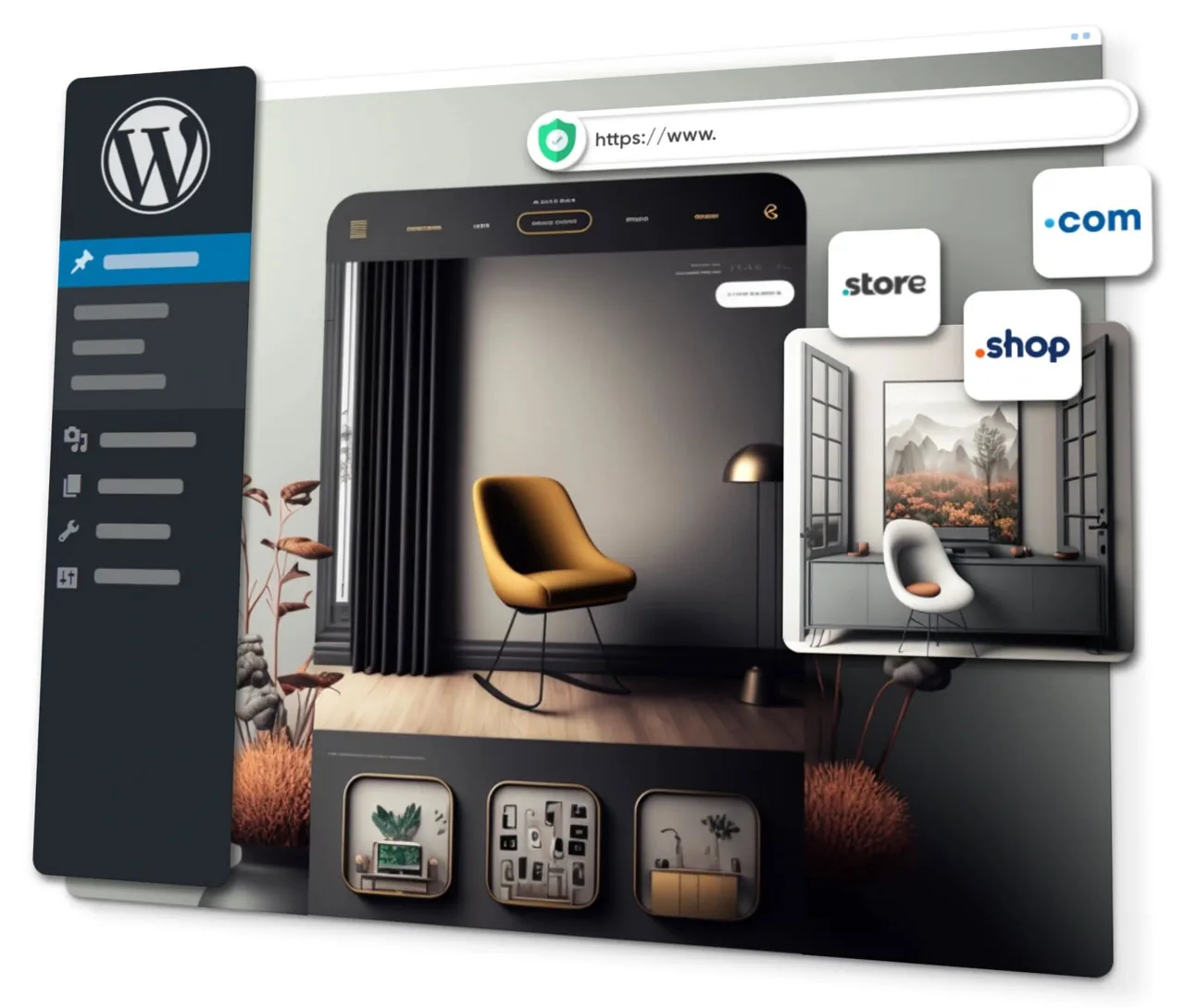
Yes. WordPress powers a large share of the world's websites because it is flexible, affordable and easy to update yourself. For most Malaysian SMEs, a self-hosted WordPress.org site gives you full control over design, SEO and eCommerce without locking you into a single platform. You need a domain, reliable hosting, a good theme, a handful of plugins and a plan to keep it updated.
What is WordPress, and why do so many businesses use it?
WordPress is free, open-source software for building and managing websites. It started as a blogging tool in 2003 and grew into a full content management system that now runs a large portion of all websites on the internet, from one-page profiles to large online stores. You do not need to be a programmer to use it. Once it is set up, you log in to a simple dashboard, click into a page, change the text or images, and hit update.
The reason it dominates is flexibility. WordPress can be almost any kind of site: a company brochure, a booking site for a clinic, a property listing portal, or a full eCommerce store. Because it is open-source, there is a huge ecosystem of themes and plugins that add features without custom coding. For a Malaysian SME, that means you can start small and add capabilities as the business grows, instead of rebuilding from scratch every couple of years.
Just as important, WordPress does not lock you in. You own your content and can move it to a different host whenever you like. Compare that with some closed platforms where your site lives entirely inside one company's system. If you ever outgrow your current setup or want a new agency to take over, a WordPress site can be handed over cleanly.
WordPress.com vs WordPress.org: the difference that trips people up
This is the single most common point of confusion, so it is worth getting right before you spend any money. WordPress.org is the free software you download and install on your own web hosting. This is the version almost every serious business should use. It is often called self-hosted WordPress, and it gives you complete control over design, plugins, eCommerce and SEO.
WordPress.com is a commercial hosting service built on top of that software, run by a company called Automattic. It handles hosting for you, which sounds convenient, but the cheaper plans restrict which plugins and themes you can install and place limits on customisation. For a hobby blog that is fine. For a business that wants full control, the restrictions become frustrating fast.
In short: when this guide says WordPress, we mean self-hosted WordPress.org. You buy a domain and hosting, install WordPress on it, and build your site. If you are unsure which one a proposal is quoting you, ask directly. It changes what you can do and what you will pay over time.
Is WordPress the right choice for your business?
WordPress suits most Malaysian SMEs that want a website they can update themselves and grow over time. Service businesses, clinics, law firms, manufacturers, retailers, restaurants and property agencies all run well on it. If you expect to add pages, publish articles for SEO, or sell online later, WordPress gives you room to expand without switching platforms.
It is less ideal in a few situations. If you only ever need a single static page and will never touch it again, a simpler builder may be enough. If you are building a complex web application with custom logic, a bespoke build might serve you better. But for the vast majority of company websites, WordPress hits the sweet spot of power, cost and ease of maintenance.
If you are weighing WordPress against a fully custom build, our team can advise based on your goals through our website design and development service. The right answer depends on your budget, how often you will update the site, and whether you plan to sell online.
What you actually need to launch a WordPress site
There are three core ingredients, and each is a separate decision. First, a domain name, which is your web address such as yourbusiness.com.my. Second, web hosting, which is the server space where your site lives. Third, WordPress itself, which is free, plus a theme and a few plugins. Get these three right and the rest is content.
Most Malaysian SMEs buy the domain and hosting together to keep things simple, though you can buy them separately. A .com is the safe international default, while a .com.my signals a local Malaysian business and can help with trust for a Klang Valley or Melaka audience. We cover the trade-offs in detail in our guide to web hosting and domains for Malaysian SMEs.
- Domain: your address, renewed yearly, from around RM40 to RM80 a year depending on the extension.
- Hosting: where the site runs, priced monthly or yearly, quality matters more than price.
- WordPress: the free software that runs the site.
- Theme: controls how the site looks.
- Plugins: add features like contact forms, SEO tools and security.
Choosing WordPress hosting that will not slow you down
Hosting is where many cheap websites quietly fail. A slow or overloaded server makes every page crawl, which frustrates visitors and hurts your Google rankings. For a business site, look for hosting with solid uptime, fast server response, daily backups, free SSL and support that answers quickly when something breaks. Paying a little more here saves a lot of pain later.
You will see shared hosting, which is the most affordable and fine for most small business sites, and managed WordPress hosting, which costs more but handles updates, caching and security for you. For a busy store or a high-traffic site, managed hosting or a cloud plan is worth the money. If you are not sure what you have, that is exactly the kind of thing we audit before a build.
One local tip: if most of your customers are in Malaysia, hosting served from a nearby region tends to load faster for them. Speed is not only about the plan you pick but also where the server sits and how well the site is built on top of it.
Picking a theme without regretting it later
A theme controls your site's layout, colours and typography. There are thousands, free and paid. The temptation is to grab the flashiest demo you can find, but the better approach is to choose a lightweight, well-supported theme and shape it to your brand. Bloated themes packed with features you never use are a leading cause of slow WordPress sites.
For most businesses, a clean, fast, mobile-friendly theme beats a heavy multipurpose one. Check that the theme is updated regularly, has good reviews, and works with your chosen page builder if you plan to use one. A premium theme typically costs a one-time fee, and that small spend usually buys better code and proper support.
Remember that a theme is a starting point, not the finished product. Real design work is about your specific content, photos and structure. A generic demo filled with placeholder text will not convert visitors. Plan your pages and messaging first, then dress them in the theme.
The essential plugins every business site needs
Plugins are add-ons that extend WordPress. The key is restraint: install only what you need, because every plugin is extra code to load and maintain. A typical Malaysian SME site runs comfortably on a small, well-chosen set rather than dozens of overlapping tools. More plugins means more to update and more that can break.
Here is a sensible starting kit for most business websites. You can add more as specific needs arise, but this covers the essentials without weighing the site down.
- An SEO plugin to manage titles, meta descriptions and sitemaps.
- A caching plugin to speed up page loading.
- A security plugin to block common attacks and limit login attempts.
- A backup plugin so you can restore the site if anything goes wrong.
- A contact form plugin to capture enquiries.
- An image optimisation plugin to compress photos automatically.
Page builders and the block editor
Modern WordPress ships with a built-in block editor called Gutenberg, which lets you build pages by stacking blocks of text, images and buttons. For simpler sites it is capable and fast, with no extra plugin needed. It has improved a lot and many businesses now build entirely with it.
Beyond that, drag-and-drop page builders like Elementor give you finer visual control and are popular with agencies and DIY owners alike. They make it easy to design custom layouts without code. The trade-off is that heavy builders can add weight and slightly slow the site, so they need to be used carefully and paired with good hosting and caching.
Our advice is to match the tool to the job. A brochure site may be perfectly served by the block editor, while a marketing-heavy landing page might benefit from a builder. What matters most is that the final result is fast, clear and easy for your team to update after handover.
WordPress and SEO: a strong starting point
WordPress is well liked by search engines because it produces clean, structured pages and makes on-page basics easy to manage. With a good SEO plugin you can set page titles, meta descriptions, clean URLs and an XML sitemap without touching code. That covers the technical groundwork that many DIY sites get wrong.
But installing an SEO plugin is not the same as doing SEO. The plugin is a toolbox, not a strategy. Rankings still come from useful content, sensible keyword targeting, fast load times, a healthy site structure and links from other sites. If you want the fundamentals, our guides to technical SEO and building content are a good place to start.
If you would rather have experts run it, our SEO service works hand in hand with your WordPress site to target the searches your Shah Alam, Melaka or Klang Valley customers actually type. WordPress makes SEO easier, but the work still needs doing consistently over months.
Speed and Core Web Vitals on WordPress
A common myth is that WordPress is slow. In reality, WordPress is only as fast as the hosting, theme, plugins and images you put on it. A lean setup on decent hosting loads quickly. A bloated theme, twenty plugins and huge uncompressed photos will crawl on any platform. Speed is a result of good choices, not luck.
The practical levers are caching, image compression, a lightweight theme, and a good host. Google measures real-world loading experience through Core Web Vitals, and these scores feed into rankings and, more importantly, into whether visitors stay. Even a one or two second improvement can lift enquiries noticeably.
If your current site feels sluggish, it is usually fixable without a full rebuild. We explain the specifics in our guide to site speed and Core Web Vitals, and it is one of the first things we check in an audit.
Keeping your WordPress site secure
Because WordPress is so popular, it is a frequent target for automated attacks. The good news is that most break-ins exploit basic neglect rather than clever hacking. Outdated plugins, weak passwords and no backups are the usual culprits. Keep the core, themes and plugins updated, use strong unique passwords, and enable two-factor login on the admin account.
A security plugin adds a firewall, limits failed login attempts and scans for malware. Combine that with reliable daily backups stored off the server, and even a serious problem becomes a quick restore rather than a disaster. For any business that collects customer data through forms, sensible security is also part of handling personal data responsibly under Malaysia's PDPA.
If keeping on top of updates and monitoring is not something your team has time for, that is a normal thing to outsource. Ongoing website care sits naturally alongside our broader IT support and outsourcing for SMEs, so nothing slips through the cracks.
Backups, updates and ongoing maintenance
A website is not a set-and-forget purchase. WordPress, its theme and its plugins release updates regularly, partly to add features and partly to patch security holes. Skipping updates for months is how sites break or get compromised. At the same time, applying a bad update without a backup can take a site down, so the two go together.
The safe routine is straightforward: take a backup, apply updates, then check the site still works. Many owners prefer to have this handled on a schedule so they never think about it. A modest monthly maintenance arrangement covers updates, backups, security monitoring and small content changes, and it is far cheaper than emergency recovery after a crash.
Whether you do it yourself or hand it over, the principle is the same. Treat the website like any other business asset that needs light, regular upkeep to stay reliable and safe.
Selling online with WooCommerce
If you want to sell products or services, WooCommerce turns WordPress into a full online store. It is free to start, integrates with Malaysian and international payment gateways, and handles products, carts, checkout, shipping and orders. Because it runs on WordPress, your shop and your content live in one place, which keeps SEO and branding consistent.
WooCommerce scales from a handful of products to large catalogues, though a busy store needs better hosting and a bit more care around speed and security. Payment options that Malaysian shoppers trust, such as FPX online banking and popular e-wallets, can usually be added through gateway plugins so customers pay the way they prefer.
If eCommerce is your main goal, it is worth planning the store properly from the start. We go deeper into this in our guide to eCommerce website development in Malaysia, covering payments, shipping and the decisions that matter for online sellers.
Common WordPress mistakes Malaysian SMEs make
The most frequent mistake is treating the platform as the strategy. Installing WordPress and a nice theme does not automatically bring customers. The site still needs clear messaging, strong calls to action, fast loading and ongoing SEO. Many DIY sites look acceptable but never generate enquiries because nobody planned the content or the customer journey.
Other common errors are avoidable with a little care. Overloading the site with plugins, ignoring updates, using giant unoptimised images, skipping backups, and choosing the cheapest possible hosting all come back to bite owners later. So does forgetting mobile visitors, who are the majority of Malaysian web traffic, when a theme looks fine on a laptop but cramped on a phone.
The last one worth flagging is losing rankings during a redesign or platform move. It is entirely avoidable with proper redirects and planning, which we cover in our guide to a website redesign without losing your SEO rankings.
How much does a WordPress website cost in Malaysia?
The honest answer is that it depends on scope, but you can budget in ranges. The recurring costs are a domain from around RM40 to RM80 a year and hosting that varies with the plan you choose. WordPress, most core plugins and many themes are free, though premium themes and plugins carry small one-time or annual fees.
The bigger variable is the build itself. A do-it-yourself site costs mostly your time. A professionally built WordPress business website with proper design, structure and content is an investment that pays back through enquiries and credibility. At Cybergate, website projects start from RM1,199, and monthly SEO to grow that site starts from RM1,000 a month. Because we are not SST-registered, the price we quote is the price you pay.
For a full breakdown of what drives the number up or down, see our website design cost guide for 2026. As a rule, spend on things that affect results, such as hosting quality, design clarity and content, rather than on features nobody will use.
WordPress vs Wix, Shopify and custom builds
Website builders like Wix are genuinely easy for a quick one-page site, but you trade away flexibility and can hit ceilings as you grow. Your site also lives inside their platform, which makes moving away harder later. For a business that plans to invest in content and SEO over years, that lock-in is a real cost.
Shopify is excellent if your entire business is a large online store and you want an all-in-one commerce platform. For SMEs that need a strong marketing website with a shop attached, WordPress with WooCommerce is often the more flexible and affordable long-term choice, because the content and the store grow together in a system you fully control.
A fully custom-coded site gives total control but costs the most to build and maintain, and it usually needs a developer for every change. For most Malaysian SMEs, WordPress lands in the practical middle: powerful, affordable, and something your own team can update without calling a programmer for every edit.
Getting started the right way
If you are launching a new site, resist the urge to rush into a theme demo. Start with your goals, your pages and your key messages, then choose hosting, a theme and the minimum plugins to support them. Write for your customer, make the next step obvious on every page, and keep the design clean and fast. A modest, well-built site beats a flashy, slow one every time.
If you already have a WordPress site that underperforms, an audit usually reveals a short list of fixable issues, from slow hosting and heavy plugins to weak content and missing SEO basics. You rarely need to throw everything away. Our free SEO audit checklist is a good self-assessment to run first.
Cybergate builds, fixes and maintains WordPress websites for SMEs across Shah Alam, Melaka and the Klang Valley. Whether you want a new site, a redesign, WooCommerce, or someone to keep the whole thing updated and secure, we can take as much or as little off your plate as you need.
Key takeaways
WordPress is a flexible, affordable and future-proof choice for most Malaysian SME websites, and it does not lock you into a single vendor. The essentials are a domain, quality hosting, a lightweight theme and a small set of well-chosen plugins.
- Use self-hosted WordPress.org, not the restricted WordPress.com plans, for a real business site.
- Speed comes from good hosting, a lean theme, caching and compressed images, not from luck.
- An SEO plugin is a toolbox, not a strategy, real rankings still need content and consistency.
- Keep the site updated, backed up and secured, or outsource that upkeep so it never lapses.
- WooCommerce turns WordPress into a capable online store when you are ready to sell.
- Budget for a domain, hosting and the build, and spend on what affects results.
Need help with this?
Cybergate provides IT support, cybersecurity, Microsoft 365 and SEO for Malaysian businesses. Free consultation, no obligation.
Get Free Consultation WhatsApp Us