
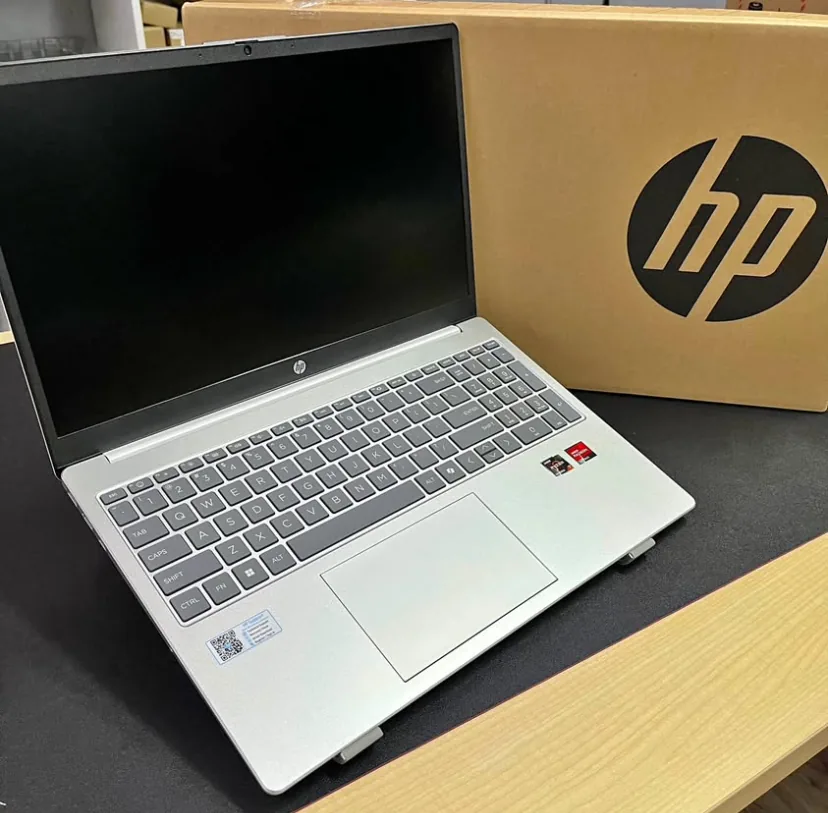
Yes, for most small businesses a good refurbished business laptop is worth it. You typically save 40 to 60 percent versus new, and enterprise grade models like the HP ProBook, Dell Latitude and Lenovo ThinkPad are built to last far longer than consumer laptops. The key is buying a graded unit with a warranty, a genuine Windows licence, and a fresh SSD, then setting it up properly with security and backup before it touches your data.
What Is a Refurbished Business Laptop?
A refurbished laptop is a used machine that has been tested, cleaned, repaired where needed and restored to full working order before resale. Business grade refurbished laptops come from a specific source: corporate and government fleets that get replaced on a three to four year cycle. When a large company retires hundreds of laptops, those units flow into the refurbishment market, get inspected and regraded, then sold on at a fraction of their original price.
This matters because business laptops are a different class of machine from the consumer models sold in shopping malls. A HP ProBook, Dell Latitude or Lenovo ThinkPad is designed for daily commercial use, with sturdier hinges, spill resistant keyboards, better cooling and longer support lifecycles. Buying one refurbished means you get a professional grade tool at a budget price, which is exactly why so many Malaysian SMEs choose this route when kitting out a new team or replacing ageing PCs.
Refurbished vs Used vs New: Know the Difference
These three terms get mixed up constantly, and the difference decides whether you get a bargain or a headache. A brand new laptop comes sealed from the manufacturer with a full warranty. A used laptop is sold as is, often by an individual, with no testing and no cover if it fails next week. A properly refurbished laptop sits in between: professionally tested, cleaned, often fitted with a new SSD, and backed by a seller warranty.
The trap is that some sellers label a plain used laptop as refurbished to justify a higher price. Real refurbishment involves a documented process: functional testing of every port and component, battery health checks, cosmetic grading, a clean operating system install and a genuine licence. If a seller cannot describe that process or offer a warranty, you are buying a used machine, not a refurbished one, and you should price it accordingly.
Why Malaysian SMEs Choose Refurbished
The headline reason is cost. A refurbished business laptop typically costs 40 to 60 percent less than the equivalent new model. For a small business fitting out five or ten staff, that difference can be thousands of ringgit that stays in the bank or goes toward other priorities like cybersecurity or a proper backup and disaster recovery setup.
There is also a practical performance angle. A three year old ThinkPad with a Core i5, 16GB of RAM and an SSD will comfortably run Microsoft 365, a browser with twenty tabs, accounting software and video calls. Most office work is not demanding, so paying a premium for the newest chip rarely pays off. Refurbished lets you buy one tier above what your budget would allow new, which usually means a better built, longer lasting machine.
Sustainability is a quieter benefit that increasingly matters. Extending the life of a well made laptop keeps electronic waste out of landfill and reduces the carbon cost of manufacturing new units. For businesses that care about their environmental footprint, or that pitch to clients who do, choosing refurbished is an easy and genuine win.
Understanding Refurbished Grades (A, B, C)
Most reputable sellers grade their stock so you know the cosmetic condition before you buy. Grades describe appearance, not function, because a properly refurbished laptop should work perfectly regardless of grade. Understanding the scale stops you overpaying for looks you do not need or feeling cheated by minor marks you were never told about.
- Grade A: near mint, minimal or no visible wear, looks almost new. Costs the most within the refurbished range.
- Grade B: light cosmetic wear such as small scuffs or faint keyboard shine. Fully functional and the best value for most buyers.
- Grade C: visible marks, scratches or casing wear. Works fine but looks used. Cheapest option, good for back office or spare units.
For staff who meet clients, a Grade A or B unit keeps up appearances. For a warehouse, store counter or backup machine, Grade C saves money without any real downside. There is no single right answer, only the grade that fits how and where the laptop will be used.
The Best Business Laptop Brands to Buy Refurbished
Three families dominate the refurbished business market for good reason, and sticking to them dramatically reduces your risk. The HP ProBook and EliteBook, the Dell Latitude, and the Lenovo ThinkPad were all built for corporate fleets, which means abundant spare parts, wide compatibility and a proven track record for reliability over many years.
The EliteBook and the ThinkPad X and T series sit at the premium end, with better screens, lighter chassis and stronger build quality. The ProBook, Latitude 3000 and 5000 series, and ThinkPad E series are the workhorse mid range, offering the best balance of price and durability for everyday SME use. Avoid ex fleet consumer lines such as the HP Pavilion or Dell Inspiron when buying refurbished, since they were not designed for the same intensity of use and tend to wear out faster.
Key Specs to Look For in 2026
Specifications age, so buying refurbished means aiming for a floor that will stay comfortable for the next three years rather than chasing the absolute latest. Get these three things right and almost everything else is secondary for typical office work.
- Processor: Intel Core i5 or i7 of the 10th generation or newer, or an equivalent AMD Ryzen 5 or 7. This ensures smooth performance and eligibility for Windows 11.
- RAM: 16GB is the sweet spot for 2026. 8GB is acceptable for very light use, but 16GB keeps things fast with multiple apps open.
- Storage: a solid state drive, ideally 256GB or 512GB. Never buy a laptop with a spinning hard disk today, as the SSD is the single biggest speed upgrade.
Battery health is the fourth factor and the one most often ignored. Ask the seller for the battery wear percentage or design capacity remaining. A battery at 80 percent health or above is fine. Below that and you should expect to replace it soon, which is manageable on business models where batteries are easy to source.
Windows 11 and the Windows 10 Deadline
This is the single most important point for anyone buying refurbished in 2026, and getting it wrong can be an expensive mistake. Microsoft ended free support for Windows 10 in October 2025, which means machines stuck on Windows 10 no longer receive security updates and become a genuine risk to your business. We covered the full implications in our guide to the Windows 10 end of life.
The practical rule is simple: only buy a refurbished laptop that officially supports Windows 11. That generally means an Intel 8th generation processor or newer, TPM 2.0, and Secure Boot. Most business laptops from 2019 onward qualify. Before you pay, confirm the unit either already runs a genuine, activated copy of Windows 11 or is fully eligible to upgrade. A cheap laptop that can only run Windows 10 is not a saving, it is a liability.
Genuine Windows and Software Licensing
A refurbished laptop should come with a legitimate, activated copy of Windows, usually through the Microsoft Authorised Refurbisher programme or a valid transferred licence. This is not a technicality. An unlicensed or cracked copy of Windows leaves you without updates, exposes you to legal risk, and often hides bundled adware or worse.
Check for genuine activation in Windows Settings under System and then Activation before you rely on the machine. For productivity software, remember that a Microsoft Office licence tied to the previous owner will not transfer. Most Malaysian SMEs are better served by a subscription to Microsoft 365, which gives every staff member the latest Office apps, business email and cloud storage on a predictable monthly plan, independent of which laptop they use.
The Hidden Risk: Data Security on Second Hand Machines
The biggest danger with any second hand computer is not hardware, it is data. A laptop that has not been properly wiped can still hold fragments of the previous owner's files, browser saved passwords or cached logins. Equally, you have no idea what was installed on it before it reached you. This is why a professional refurbisher performs a certified secure wipe and a clean operating system install on every unit.
Before a refurbished laptop touches your business data, it should be reset to a clean state, updated fully, and hardened with proper security. That means genuine antivirus, disk encryption with BitLocker, a strong local account or Azure AD sign in, and enrolment into your management and patching system. If you run a fleet, a tool like ManageEngine Endpoint Central lets you push updates, enforce policies and track every device from one dashboard, which is far safer than trusting each machine to look after itself.
What a Warranty Should Actually Cover
A warranty is what separates a smart refurbished purchase from a gamble, so read it before you buy, not after something breaks. A credible seller offers a minimum of three to six months of cover, and better sellers offer twelve. The warranty should cover hardware faults such as the motherboard, screen, keyboard, ports and battery, with a clear process for repair or replacement.
Ask three questions up front. What exactly is covered and for how long? Is it a swap out replacement or a repair, and how long does that take? And who handles the claim, the seller locally or some distant third party? For a business, downtime is the real cost, so a local seller who can turn a faulty unit around quickly is worth more than a marginally cheaper price with slow, uncertain support.
How Much Should You Pay?
Pricing varies with model, generation, grade and specification, so treat any figure as a guide rather than a fixed rate. As a rough benchmark for 2026, a solid mid range refurbished business laptop with a Core i5, 16GB RAM and a 256GB SSD often lands in a sensible mid range price band, well below the cost of a comparable new machine, while premium EliteBook or ThinkPad units in top condition command more.
The smarter way to judge value is total cost over the machine's working life, not just the sticker price. A slightly dearer unit with 16GB of RAM, a healthy battery and a twelve month warranty will almost always beat a cheaper one that needs a RAM upgrade and a new battery within months. Work out the all in cost including any upgrades and cover, then compare like with like across sellers.
Buying for a Team: Standardise Your Fleet
If you are buying more than two or three laptops, resist the temptation to grab whatever mix of models is cheapest that week. Standardising on one or two models makes your entire IT life easier. Spare parts, chargers and docking stations become interchangeable, your setup process becomes a repeatable routine, and troubleshooting is far simpler when every machine behaves the same way.
Fleet standardisation also pays off in support. When all your staff run the same model with the same clean Windows build, an IT partner can image, deploy and maintain them efficiently. This is exactly the kind of groundwork that makes ongoing managed IT support smooth and predictable, and it is a core part of any well planned new office IT setup. A little discipline at purchase time saves a lot of friction later.
Refurbished vs Leasing vs New: Which Model Fits You?
Refurbished is not the only way to equip a team, and the best choice depends on your cash flow and growth plans. Buying refurbished suits businesses that want the lowest upfront cost and are comfortable owning and maintaining their own hardware. It frees up capital and gives you full control, which is why it is so popular with lean, cost conscious SMEs.
Buying new makes sense when you need the very latest hardware, a full manufacturer warranty and identical units at scale, and when budget is not the constraint. Leasing spreads the cost into predictable monthly payments and often bundles support and refresh cycles, which appeals to businesses that prefer operating expense over capital outlay. Many Malaysian SMEs end up with a blend: refurbished for general staff, new for power users or client facing roles, and a clear plan to refresh on a fixed cycle.
Where to Buy Refurbished Laptops in Malaysia
You have several options locally, each with trade offs. Dedicated refurbishment retailers and IT service companies offer graded stock, warranty and setup, which is the safest route for a business. Online marketplaces such as Lazada, Shopee and Facebook listings can be cheaper but vary wildly in quality, and buyer protection is thinner, so they demand more caution and technical knowledge.
For a business, the value of buying from an established IT partner is not just the laptop, it is everything around it: proper grading, a genuine Windows licence, a real warranty, and the option to have the machine configured, secured and delivered ready to work. Cybergate supplies refurbished business laptops to SMEs across the Klang Valley, Shah Alam, Petaling Jaya and Melaka, and can pair them with setup, security and support so your team is productive from day one rather than left to figure it out alone.
A Pre-Purchase Checklist
Run through this quick checklist before you commit to any refurbished laptop, whether you buy one unit or twenty. It takes a few minutes and catches almost every common mistake buyers make.
- Is it a business grade model (ProBook, EliteBook, Latitude, ThinkPad)?
- Processor of 10th generation or newer, and confirmed Windows 11 eligible?
- At least 16GB RAM and an SSD of 256GB or more?
- Battery health stated and at 80 percent or above?
- Genuine, activated Windows licence included?
- Cosmetic grade clearly disclosed (A, B or C)?
- Written warranty of at least three months, ideally twelve?
- Certified data wipe and clean OS install confirmed?
- Local seller who can support and replace quickly?
If you can tick every box, you are buying refurbished the right way. If any answer is unclear, ask the seller directly. A good one will answer plainly, and hesitation is itself a useful signal.
Setting Up a Refurbished Laptop for Business Use
The laptop arriving is only half the job. Before it holds a single client record or company email, it needs a proper first setup. Start with a clean, fully updated Windows 11, then create the correct user account, ideally linked to your Microsoft 365 identity so access can be centrally managed and revoked if a device is lost or a staff member leaves.
From there, layer on the essentials: genuine antivirus, BitLocker disk encryption, automatic updates, and connection to your backup so nothing important lives only on the device. If you would rather not do this for every machine yourself, this is precisely where an IT partner earns its keep. Cybergate can image, secure and deliver refurbished laptops ready to use, and provide onsite IT support across Shah Alam and the Klang Valley if you prefer hands on help on your premises.
Key Takeaways
Refurbished business laptops are one of the smartest ways for a Malaysian SME to stretch a technology budget, provided you buy them the right way. Stick to enterprise grade brands, insist on Windows 11 eligibility, a genuine licence and a real warranty, and never skip the security and data wipe steps before the machine handles your information.
- Expect to save 40 to 60 percent versus new for comparable performance.
- Buy ProBook, EliteBook, Latitude or ThinkPad, with Core i5 or better, 16GB RAM and an SSD.
- Only buy Windows 11 eligible units, since Windows 10 support has ended.
- Demand a genuine licence, a clear cosmetic grade and a written warranty.
- Wipe, secure and back up every machine before it touches business data.
- Standardise your fleet and set up devices properly for painless support.
Get those fundamentals right and a refurbished laptop will serve your business faithfully for years, at a fraction of the cost of buying new.
Need help with this?
Cybergate provides IT support, cybersecurity, Microsoft 365 and SEO for Malaysian businesses. Free consultation, no obligation.
Get Free Consultation WhatsApp UsKartik Periasamy
Kartik Periasamy is the founder of Cybergate Technology Malaysia, with more than 13 years in IT and technology including a Subject Matter Expert role at Dell. He now leads SEO, AI search and web strategy for businesses across Malaysia and Singapore.